What you need

This is what you will need to program an NES game…

1. A 6502 compiler
2. A tile editor
3. A text editor
4. A tile arranging program
5. A good NES emulator
6
. a music tracker
7. a test cartridge

.

6502 Compiler

For my examples I will exclusively work with cc65.

http://cc65.github.io/cc65/

(Click on Windows snapshot)

.

I am using the neslib library (by Shiru), and my own support library. You can get both from any of my NES examples.

https://github.com/nesdoug/01_Hello/tree/master/LIB

.

Tile Editor

You need a tile editor to create the graphics. I personally prefer YY-CHR. You can get it here…(this is the updated and improved version).

https://w.atwiki.jp/yychr/sp/

Here’s a link to the old version, in case you are interested.

https://www.romhacking.net/utilities/119/

.

I prefer to work first in GIMP (similar to Photoshop), convert to indexed (4 color), then copy/paste over to YY-CHR later. You should be working in the 2bpp NES format (the default), when you use YY-CHR.

Here is a link where you can download GIMP.

https://www.gimp.org/downloads/

.

Text Editor

You can use any kind of text editor to write your code. I’ve been using Notepad++ myself.

https://notepad-plus-plus.org/download/

NotepadPP2

I’ve heard that people are using VSCode to write their C code. You might prefer that.

.

Tile Arranger

To make background maps, I recommend, NES Screen Tool. It shows the NES color limitations very well, and is good for making single screen games. It also gives you nametable addresses and attribute table addresses, which comes in handy. I think I used 2.51, and if you have an older version, it won’t open the .nss files in my source code. Get it here…

https://shiru.untergrund.net/software.shtml

NESST isn’t being updated. But there is  a new version by FrankenGraphics that has lots of new features. You could use this instead.

https://frankengraphics.itch.io/nexxt

.

And, if you are making a scrolling game, I would also pick up Tiled Map Editor. I will go into more detail later, but you can make a data array out of the exported .csv files from Tiled.

http://www.mapeditor.org/

.

NES Emulator

And, next is an NES emulator. I used to use FCEUX. It has some nice debugging tools. A newer emulator, MESEN, has become popular, so you should get that too.

FCEUX is here…

http://www.fceux.com/web/download.html

Mesen is here…

https://www.mesen.ca/#Downloads

You may have to change the video display to display every pixel. I’ve seen people say “the NES is 256×224 pixels”, but that is not true. Older TVs tended to cut off a few pixels from the top/bottom of the picture, but the NES generates a full 240 pixels high. One of my TVs displays nearly the entire 240 pixels. You should assume that some users will see the entire picture, so in FCEUX go to Config/Video/Drawing Area, and set the output to the full 0 to 239.

.

Music Tracker

I don’t want to go into too much detail yet, but you will also need to get Famitracker for making music and/or sound effects for your game.

http://famitracker.com/downloads.php

(update, the original link no longer works, here is a backup)

https://web.archive.org/web/20230318222410/http://famitracker.com/downloads.php

.

I use the famitone2 music code (by Shiru), which works well with neslib library, and is much smaller/faster than the famitracker driver. But you still need to write the songs in famitracker.

https://shiru.untergrund.net/code.shtml

.

I made my own forks of famitone, to add more features and effects. Version 3 adds volume column and all notes. Version 5 has several of the pitch effects working (vibrato, portamento, etc).

https://github.com/nesdoug/famitone3.3

https://github.com/nesdoug/famitone5.0

.

Test cartridge

Playing the game in an emulator is nice, but the real test is playing on a real NES with a flash cartridge.

I have a PowerPak, but if I were buying one today, I would probably get a N8 Everdrive from krikzz (directly or from their Amazon page or from StoneAgeGamer). The PowerPak uses a compact flash card, and the N8 uses an SD card.

For the PowerPak, I needed to buy a special attachment to connect a compact flash drive to my computer, but most computers have SD card slots.

.

Python

OPTIONAL… I have been writing simple python 3 scripts to process some of the data into C arrays. You don’t need to, but it might be helpful if you installed python 3, to use my tutorial files. I just use simple scripts for “automating the boring stuff”.

https://www.python.org/downloads/

.

Next Time…

cc65 – in more detail.

Introduction

Selfie4

Hello all. I’m Doug (@nesdoug2, dougeff). Welcome to my tutorial – How to program an NES game in C. You can make an original Nintendo game that plays on a real NES console (or emulator).

The original NES games were written in Assembly / ASM. If you prefer that route, then you could start with the Nerdy Nights tutorial like I did.

http://nerdy-nights.nes.science/

But, I think C is easier. You could develop a game in half the time in C.

Another option, you could use NESmaker ($36), which has all the code for a game written, and all you need to do is design the graphics and the levels.

.

Let’s talk about the NES.

Released in Japan (Famicom), 1983, released in US, 1985.

CPU, Ricoh 2A03, 1.79 MHz, is a 6502 clone (missing decimal mode) with audio circuitry. 6502 was a very popular chip at the time. It is the same chip that Apple II and Atari 2600 used.

Screen resolution = 256×240 pixels

1 background layer, scrollable

Colors available = 56

64 sprites (8×8 or 8×16), freely moving graphic objects

5 channels of audio. 2 square, 1 triangle, 1 noise, and 1 for small samples

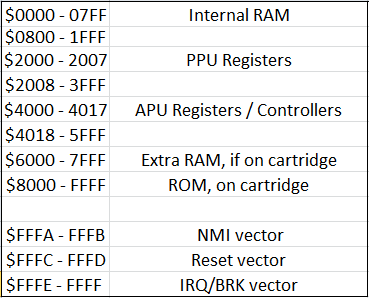
Here’s the memory map for the CPU.

nes_map2

That’s only 2048 bytes of RAM standard. Not a lot to work with.

.

The PPU (produces a video image) is a separate chip, that has its own memory. It is only accessible from the CPU through a slow 1 byte at a time transfer, using hardware registers.

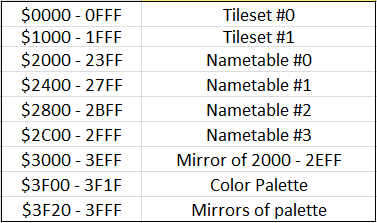
Here’s the memory map for the PPU

NES_PPU_MAP

Each tileset holds 256 tiles. Each tile is 8×8 pixels.

Nametable is a technical word that basically means tilemap, or background screen.

There is also another RAM chip dedicated to Sprites (called OAM). It holds 256 bytes.

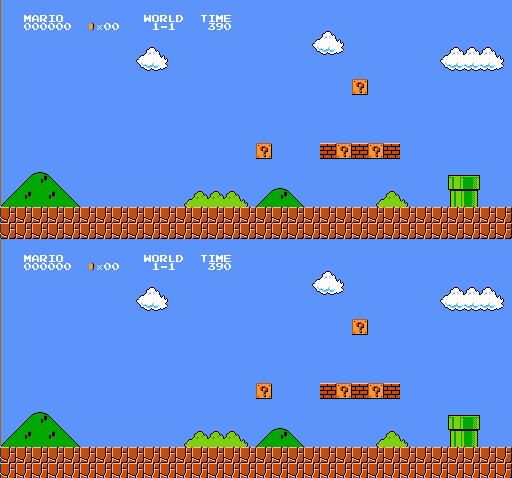
It may look like there are 4 usable nametables (background screens), but actually there is only enough internal VRAM for 2 screens. The cartridges are hardwired to either be in “horizontal mirroring” or “vertical mirroring”. More advanced cartridges can switch between these options.

Vertical mirroring (or horizontal arrangement) is for sideways scrolling games, and the lower 2 nametables are just a mirror of the upper 2 nametables, like this…

Mario

Horizontal mirroring (or vertical arrangement) is for vertically scrolling games, and the right 2 nametables are just a mirror or the left 2 nametables, like this…

KidI

A few games had extra RAM on the cartridge to actually have 4 different nametables (Gauntlet is one example). For more detailed information, check out the nesdev wiki.

https://www.nesdev.org/wiki/Nesdev_Wiki

Lastly, the game cartridges usually have 2 ROM chips inside. One PRG-ROM (executable code), and one CHR-ROM (graphic tiles). But some games, instead of a CHR-ROM chip, have a CHR-RAM chip. The graphics are located somewhere in the PRG-ROM, and the program has to transfer the bytes from there to the CHR-RAM chip.

My tutorials will exclusively deal with CHR-ROM style games. It’s easier. With this style, the graphic tiles are automatically connected to the PPU and you don’t have to transfer them to the PPU. With the simplest cartridge (NROM-256) you get 2 sets of 256 tiles (each tile = 8×8 pixels). Usually, one for background tiles and one for sprite tiles.

.

You might want to read up on hexadecimal numbers. 8 bit numbers are much easier to read and understand in hex. I usually use $ to indicate hex, but sometimes I use 0x. $ is used in assembly languages, and 0x is used in C like languages. You don’t need to be a math expert, but it will help if you know what I’m talking about.

.

NES Graphics

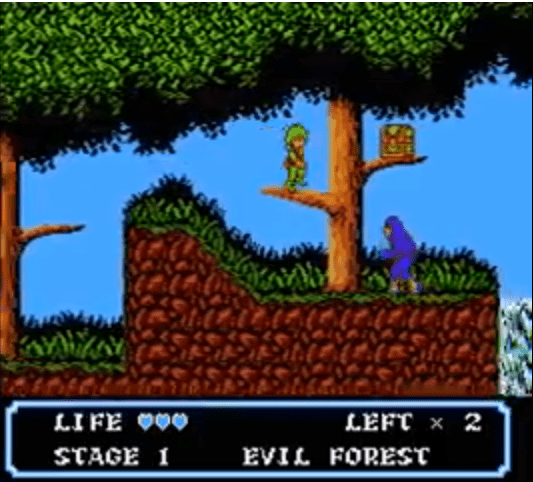
This is not a “best graphics on the NES” list. Just some games that I think are very good. I was going to point out some of the weaker artwork, but that seemed a little hypocritical, since I have a tough time making good looking pixel art myself. So, none of “they should have done this different”. Just good art pictures.

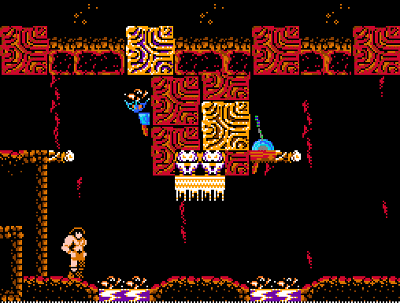
Starting with my favorites. I really like the graphics team over at Technos. The people who did River City Ransom, also made some similar looking games, like…

01SuperDB

Super Dodge Ball

02Crash

Crash N The Boys: Street Challenge

.

Here’s some other games in no particular order.

03Kick

Kick Master

04Joe

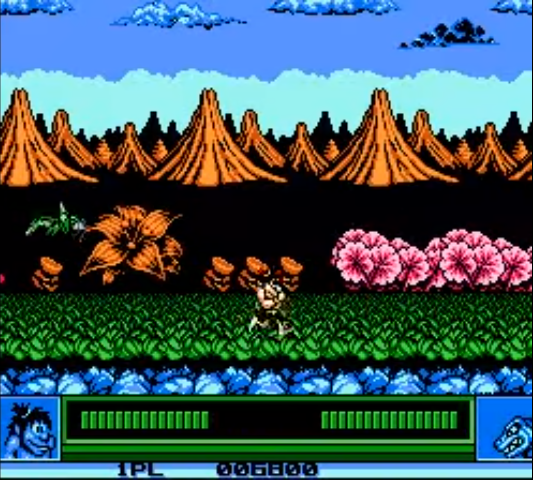
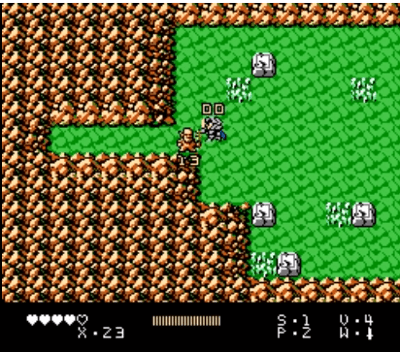
Joe & Mac

05NinjaG3

Ninja Gaiden III

07Shadow

Shadow of the Ninja

08BatmanROJ

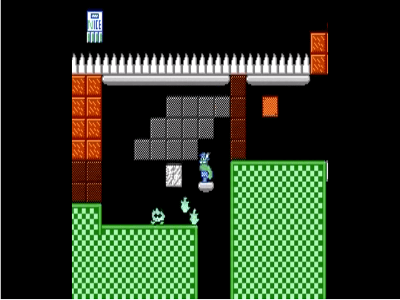
Batman – Return of the Joker

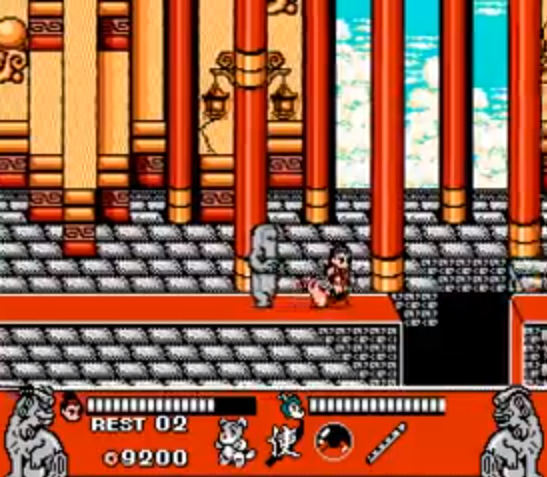
09Chuuka

Chuka Taisen

10felix

Felix the Cat

11KirbyB

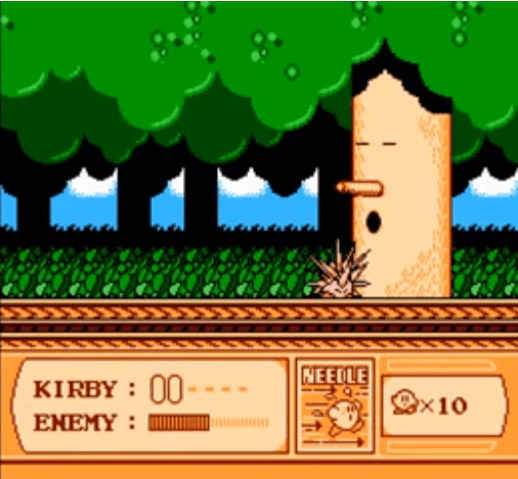
Kirby’s Adventure

12Fire

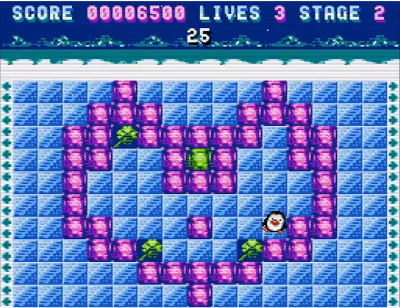
Fire ‘N Ice

13Gimmick

Gimmick!

14Ufouria

Ufouria (Hebereke)

15Chip2

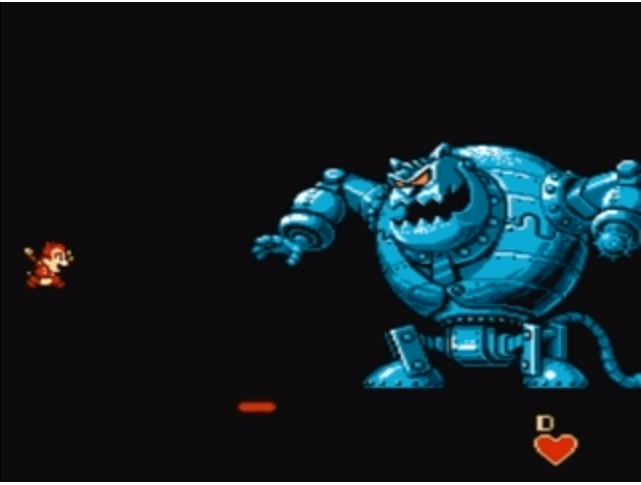
Chip ‘N Dale Rescue Rangers 2

16Stanley

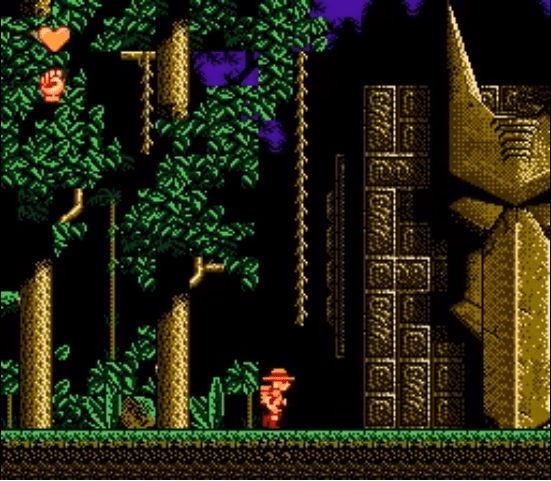
Stanley: The Search for Dr. Livingston

17LittleSB

17LittleS

Little Samson (2 images)

18Bucky

Bucky O’Hare

19VicePD

Vice: Project Doom

20Moon

Moon Crystal

21Conquest

Conquest of the Crystal Palace

22Shatterhand

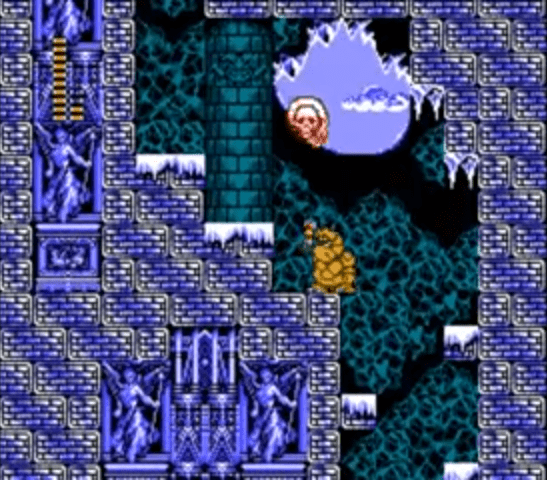
Shatterhand

23GunNac

Gun Nac

24LittleNemo

Little Nemo: The Dream Master

25Gargoyle

Gargoyle’s Quest II

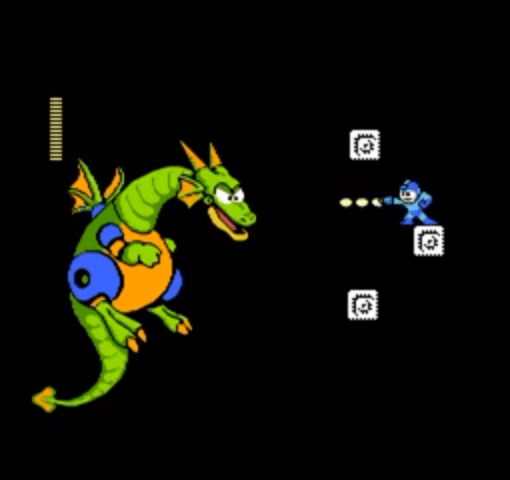
27MM2

Megaman 2

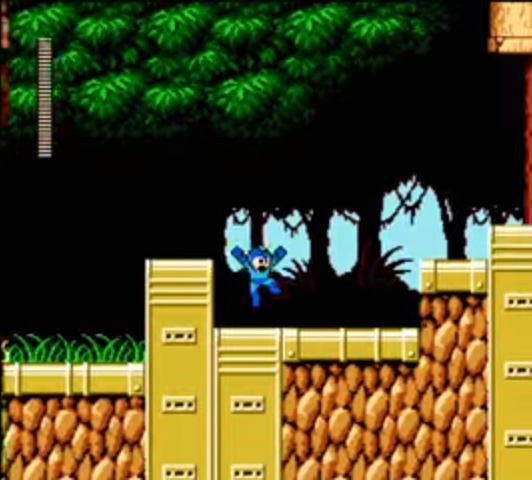
26MM6

Megaman 6

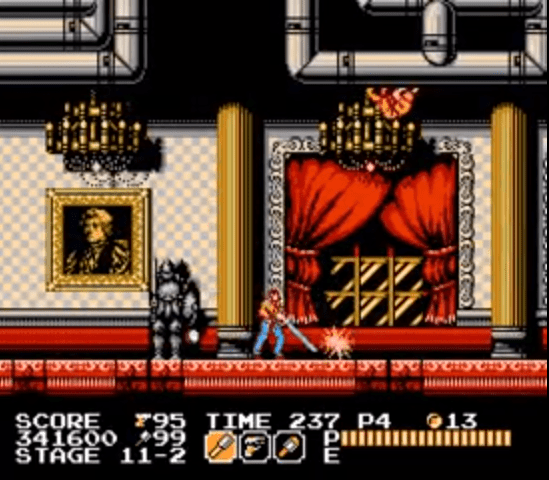
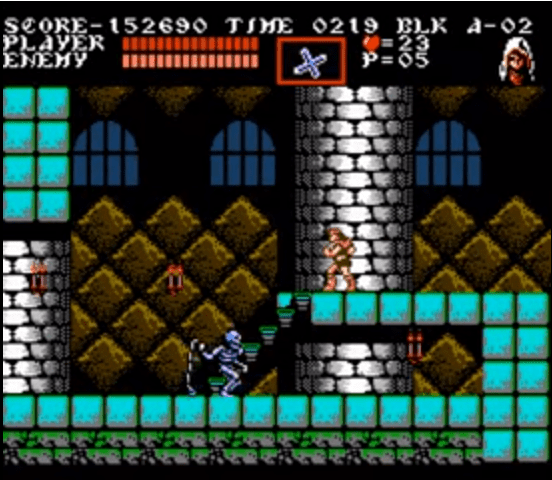
29Castle3

Castlevania III

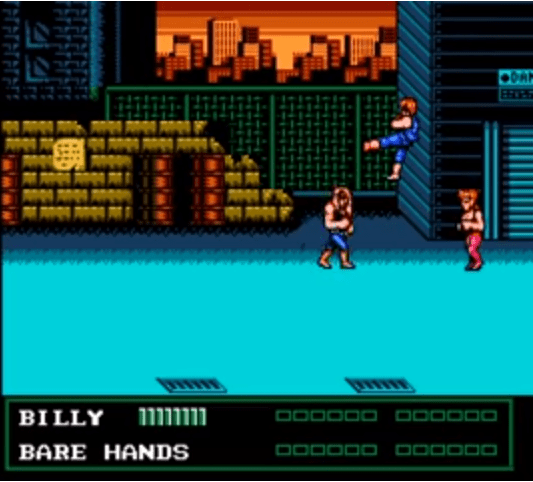
30Double3

Double Dragon III: The Sacred Scrolls

31Gradius2

Gradius II

32Radia

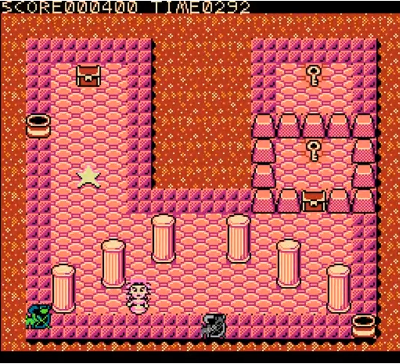
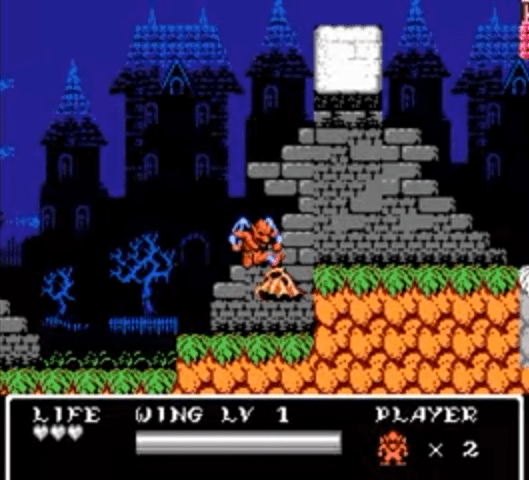
Radia Senki: Reimmeihen. This is probably the best looking RPG produced on the NES… well, Famicom anyway. Good work, Tecmo.

Sorry about the quality of some of these pictures. They are screencaps of videos. It would have taken me forever to play all these games to the right point to get better pictures.

I’m sure I left some games out. Lot’s of Disney games look very good. If you feel like a game is missing, and definitely should be in this list, feel free to leave a comment.

A List of NES Homebrew Games

(last updated in 2018)

As a NES homebrewer, I have been lucky enough to meet some great people, and play lots of interesting games. The past few years have been huge in the NES homebrew community, and I feel like next year will be even bigger.

This is my list of favorite NES homebrew games. Several of these I haven’t played yet because several of these aren’t completed yet. Which is why I think 2018 is going to be a great year for NES gaming.

I didn’t want to list “top 10” or “top 20″…and piss someone off, so I listed them sort-of alphabetically.

2nd Dimension

-AO

01AO

This is an interesting puzzle game. Imagine a 2x1x1 block that has to be tipped over in exactly the right directions to make it through to the goal.

(Also available from 2nd Dimension is Get Em Gary – which is like “Wrecking Crew and Fix-It Felix Jr”, programmed by Sly Dog Studios)

http://www.second-dimension.com/

Brad Smith (Rainwarrior)

This is a big one that has been in the works for a while…and is almost done (as of late 2017). In Lizard, Canadian programmer / musician Brad Smith has made a very big open-exploration world…well 2 parallel worlds connected by doors. You play as a little person wearing a lizard costume. If you find a different costume, you gain new abilities. There are lots of little secrets in this game (big head mode, bad eye mode, a talking moose). Tons of interesting details in this game should keep you occupied for weeks.

-Lizard

04Lizard

http://lizardnes.com/

Chris Cacciatore

Still a work in progress, in Nebs n Debs you play as a little girl with an Octopus hat on. A Megaman style platformer, you can dash across gaps and collect diamonds. This was a winner of the 2016 Nesdev competition. Very high quality.

-Nebs n Debs

05NebsDebs2

@cacciatc
(I don’t think he has an official website) There’s a link to the demo at the bottom of the first post here…

http://nintendoage.com/forum/messageview.cfm?catid=22&threadid=169549

Diskover / RetroNES Software

I guess this one had a very limited cartidge release, since it didn’t meet it’s crowdfunding goals (I think he said he made a few copies for his friends). Banketh is Diskover’s first game, which is a top-down adventure game (like Star Tropics). I hope we get to see the full game released some day.

-Banketh

39Banketh

The Demo is here…

http://www.retrones.net/juegos-homebrew/banketh-video-game

Diskover recently announced he is porting The Sword of Ianna to the NES. Here’s a screenshot of what that will look like.

41Sword

Doug Fraker

I, of course, made a game, which is available on cartridge. It’s a fighting platformer.

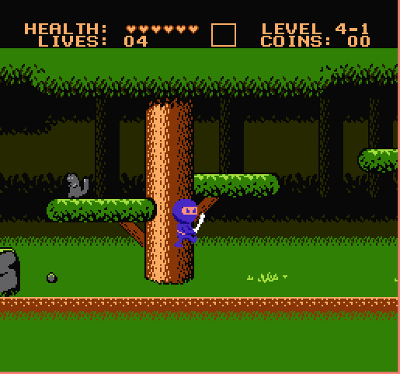
-Vigilante Ninja 2

31VigilanteNinja

Glutock / Broke Studio

Another winner of the 2016 Nesdev game competition, and also a work in progress from France. In Twin Dragons, you play as two dragons named Dinky & Minky. You can play as either one. A great looking platformer with excellent music. If you eat a hot pepper, you can breathe fire. If you eat a popsicle, you can breathe ice. Probably my favorite NES game. Maybe.

-Twin Dragons

07TwinDragons

http://www.brokestudio.fr/en/front-page-en/

Gradual Games

I really wanted to mention both games. Nomolos: Storming the Catsle (yes that’s cat…sle) is a fun platformer fighter game (like Zelda II), featuring a cat knight. It deserves to be on this list, but I prefer The Legend of Owlia. Which is kind of like a Link to the Past style adventure game. You carry an Owl, which can attack and get things and has several other abilities. And, apparently they are working on a 3rd game, which should be done next year.

-The Legend of Owlia

08Owlia

http://www.gradualgames.com/

It should also be mentioned that Gradual Games made a music engine that other people have used to get music in their NES games (StarKeeper, Dushlan and Mystic Searches). AND, Gradual Games has developed a Virtual Machine for porting NES games to play on PCs without an emulator (Get ’em Gary and Eskimo Bob). Check out the Github pages.

https://github.com/gradualgames

Infinite NES Lives

Action 53 (2 volumes), are multicarts from the entries into the 2011 and 2014 nesdev competitions. There are so many cool games on these cartridges, but I wanted to highlight a few…Streemerz is like Bionic Commando (you shoot out a rope which pulls you up), with lots of blocks to avoid that kill you. I wanna flip the sky is a reverse gravity platform puzzle with tons of spiked floors. You will die a lot in that game. Love Story is a sword fighting action platformer. Sir Abadol (from Mojon Twins) is another action platformer, with puzzle elements (locked doors and find keys). Very fun. And many more games that I didn’t have enough room to mention. Here’s a list…

http://wiki.nesdev.com/w/index.php/Action_53

More about Mojon Twins in a second. I will also mention Shiru later…he contributed the most games to the Action 53 set.

Volume One –

-Streemerz – The Fox

10Streemerz

-I Wanna Flip The Sky! – Tom Livak

11Flip

Volume Two –

-Love Story – Tom Livak

12LoveStory

-Sir Abadol – Mojon Twins

13SirAbadol

http://www.infiniteneslives.com/products.php

Some of the games are available to play for free…
http://www.nesworld.com/article.php?system=nes&data=neshomebrew

KHAN Games

Kevin Hanley has programmed several NES games, including a famous Frogger port. I should mention the ‘Larry and the Long Look for a Luscious Lover‘ port, which is worth playing, but not technically a homebrew. (I guess?). Some of his games are available from RetroUSB…like Study Hall, which is a bit like a harder version of Donkey Kong Jr. No, there isn’t any math.

My favorite KHAN game is The Incident, which is a Sokoban style top-down puzzle with moving boxes.

-The Incident

15Incident

http://www.khangames.com/store/home/8-the-incident-complete-in-box.html

-Study Hall

14StudyHall

http://www.retrousb.com/index.php?cPath=30

Lucasz Kur

Lucasz Kur is a Polish NES programmer, who is sometimes working with Brazilian graphic artist, Marcelo Barbosa (Tcheco in the Castle of Lucio). I don’t know everything that he’s worked on but definitely these games. Lucky Penguin isn’t finished, but you can play a demo from nesdev forum. http://forums.nesdev.com/viewtopic.php?p=201167

-Lucky Penguin

16LuckyPenguin

-Cowlitz Gamers’ 2nd Adventure

17Cowlitz

The Cowlitz 2nd Adventure game had a limited cart release this year, and I heard it sold out in minutes. I haven’t played it, but it looks very nice. Lucasz Kur also programmed Inversion. Here’s a link to that…
https://www.romhacking.net/homebrew/44/

Mega Cat Studio

Mega Cat has hit the ground running with 10+ NES games developed (or almost done) in just a few years.

-Justice Duel
-Creepy Brawlers
-Creepin it Real
-Expedition*
-Little Medusa
-Almost Hero
-City Trouble*
-Log Jammers
-Dushlan*

I ran into Mega Cat at a game convention, and played 2 of their games. Nice. I’m most excited about Little Medusa, which reminds me of Kickle Cubicle and Zelda. Apparently it’s finished, or will be soon. I’m going to have to play some of the other games before I can really comment on them.

*(It’s been brought to my attention that City Trouble, Dushlan, and Expedition were not developed by Mega Cat, just published by them).

18LittleMedusa

https://megacatstudios.com/

Miau (Morphcat)

Morphcat submitted the Super Bat Puncher demo for one of the nesdev competitions (2011). I’ve heard many people tell me it is one of the best NES homebrews. I’ve been told that Morphcat won’t be making a full game from it…but he and Nicolas Betoux are making a 4-player haunted adventure, yet untitled, which showcased in the game museum in Berlin. I’ve been unable to find much about the game (not even a title) but here’s a screen shot.

19Untitled

Super Bat Puncher is a fast-moving platform game, with a cat that punches bats…and walls to get a boost.

-Super Bat Puncher

20BatPuncher

http://morphcat.de/superbatpuncher/

Mojon Twins

I can’t count how many games na_th_an has programmed. 50? Maybe. Some of the best were submitted to the 2016 nesdev competition. Very good games. Here’s a list of great games. I think they are all available on their website (mostly in Spanish). Caution, some NSFW images.

http://www.mojontwins.com/juegos_mojonos/

-Sir Abadol (remastered)
-Super UWOL
-Lala the Magical
-Cheril the Goddess
-Wo Xiang Niao Niao
-Jet-Paco

My favorite is Lala the Magical, about a witch girl who can create temporary platforms to stand on. Hard, but fun.

21Lala

Cheril the Goddess is similar, except that you can temporarily fly sometimes. On a side note, Wo Xiang Niao Niao means “I need to pee pee”. It is a fun game where you jump and bounce off enemies. Check out their games, which are all free to play.

Nova Squirrel

Nova contributed several games to the Action 53 set. He is currently working on a game, called Nova the Squirrel, featuring a spunky little green squirrel. It is a unique platform game, with lots of clever block puzzles. I have no idea when it will be finished, but it looks cool.

-Nova the Squirrel

22Nova

http://novasquirrel.com/
@BushytailSkwirl

Optomon

Pyronaut is programmed by Optomon (graphics by M-tee). It looks a lot like Metroid, and I hope it will be finished one day. “Due to commitments on smaller scale works and increasingly busy personal lives, M-tee and I have halted work on Pyronaut indefinitely, with the intention of resuming work on it in the future.”

23Pyronaut

http://optovania.com/dsk/mod_pyronaut.html

Optomon is also working on a game called Rollie, which looks promising. You might have heard about him from his excellent work on Metroid Rogue Dawn.

M-Tee is working on a game called Isolation right now, with KHAN. It looks like a point and click game (like Maniac Mansion). There isn’t a demo yet.

23_B_Isolation

Piko Interactive

Piko Interactive (I think) is better known for developing SNES homebrew games. They have released 2 NES games as well. Quest Forge is my favorite. It’s a bit like a top-down adventure game, like Zelda. Piko also got the rights to several unreleased NES and SNES games (not really homebrews), which they now produce.

-Quest Forge

24Quest

https://www.pikointeractive.com/index.html

Shiru

-Alter Ego
-LAN Master
-Many Other Games (see Action 53 above)

From Russia, Shiru has been contributing to the nesdev community for years with his open source game library and NES Screen Tool app. He has developed for multiple retro consoles. Several of his games are included in the Action 53 game sets. I think the most fun game (which is not in Action 53) is Alter Ego. It is a port of a VX Spectrum homebrew by Denis Grachev. It’s sort of a ladder and platform game, and you have a shadow self that mirrors your moves. You can switch places with him, and collect all the items. It’s fun. It has excellent music as well.

25AlterEgo

https://www.romhacking.net/homebrew/1/

-Lan Master

Also check out Lan Master, if you like puzzles.

40LanM

https://www.romhacking.net/homebrew/2/

Shiru made some games for Retroscribe / Greeting Carts. Blow Em Out, Beer Slinger, and Perfect Pair (limited edition). I’ve been told the company was under new management, but still running. Update, they appear to be no longer for sale. Well, they used to be here…

http://www.retroscribe.com/

Sivak

This is the big one. If you play one NES homebrew game, play Battle Kid. It’s THAT good. If you like Megaman, you will like Battle Kid. Find keys, gain abilities, fight monsters. It’s fun, but also very hard. Both available from Retro USB.

http://www.retrousb.com/index.php?cPath=30

-Battle Kid 1 + 2

26BattleKid

Sly Dog Studios

Sly Dog has been busy making NES games for years. Over a dozen games. I think my favorite is The Mad Wizard, which the full game is now available to play for free. You play as the wizard, and gain abilities as you adventure through the woods and caves on your way to fight Amondus the Summoner. You don’t jump. The wizard can slowly levitate, and as you gain abilities…higher and further. This is part of a 3 game series. The gameplay on the other games are completely different, though.

Sly Dog also programmed Get’em Gary for 2nd Dimension (see above) and Black Box Challenge for Hagens Alley. I’m not sure if Black Box is completed.

-Mad Wizard

27MadWizard

https://slydogstudios.org/
http://www.second-dimension.com/shop/
Black Box Challenge – NES Homebrew (Kickstarter Regular Edition)

Sole Goose Productions

Besides Swords and Runes (Adventure) and 0-to-X (2048 number puzzle), there is Spook-o’-tron. I think it was just finished for Halloween 2017. It’s kind of a top down ‘bullet hell’ shooter game, like Smash TV. At the time of writing this, I haven’t been able to find it or play it.

-Spook-O-Tron

28Spook

Spoony Bard

Tomas is from Canada, and new this year with his first NES release, Eskimo Bob. It’s a platformer with wrap around scrolling and a snowy theme. Cute artwork. Great first game. Looking forward to more games down the road.

-Eskimo Bob

29Eskimo

http://www.eskimobob.com/

Tepples (Damian Yerrick)

Tepples has been making cool NES games for a long time. He has been very involved in the nesdev community, and has released several NES tools / etc. (and soon some SNES tools), including a music driver (pently).

http://pineight.com/

For the last 2 years, he has raised the bar for NES homebrew games. He and Retrotainment (Cash In Culture Stores) developed Haunted Halloween 85 and 86. Spooky themed action platformers with excellent boss fights. Punch some zombies and ghosts. Eat candy and soda. Lots of movie references. The music in 86 is great, and it features parallax scrolling effects.

-Haunted Halloween 85-86

30Haunted86

-Full Quiet

And they are working on another game for next year, Full Quiet, which looks cool, from what little I’ve seen.

https://cashinculture.3dcartstores.com/

I left Star Keeper off my list. I know other people frequently put is on their top lists, but I know almost nothing about the programmer, except that he’s from China. And it doesn’t seem to be available anywhere to play.

Honorable Mentions…

8-bit Hero’s Mystic Searches (coming soon)
http://austinmckinley.com/8bit/the-game.html

32Mystic

Kira Kira Star Night
http://kirakira-star-night.riki2riki.com/en/

33Kira

Retro City Rampage/ROM City Rampage (I haven’t seen any actual NES gameplay, but I know that the game was ported to the NES, and I think carts exist)
https://www.vblank.com/RetroCityRampage/

34ROMCITY

Rekt, by Vectrex (coming soon)
http://nintendoage.com/forum/messageview.cfm?catid=22&threadid=171212

35REKT

Star Versus, by Dustmop
http://starversus.com/

36StarVersus

Blade Buster
https://www.romhacking.net/homebrew/24/

38Blade

Indivisible, by Kasumi
https://kasumi.itch.io/indivisible
37IndivisibleB

Too Soon to talk about, but maybe good…one day…
-Unnamed 3d raycaster game (think Doom), by 

Sorry if you weren’t mentioned, homebrewers. Too many great games to list them all. If you want to read more about NES Homebrews, you should check out Jeff Wittenhagen’s book on the subject, NES Oddities & the Homebrew Revolution.

HAGEN'S ALLEY AVAILABLE BOOKS!

Please let me know if I made any mistakes, or if there is some awesome NES homebrew game that should be on this list, but isn’t.

Vigilante Ninja 2, Post-Mortem

Hello.


It’s been a while since I finished my big NES game. While it took me 2 years to complete, it could have been done in 1 year, if I focused on it 100% of the time. The game is still available in a limited release, btw. But enough time has passed to reflect on the development process.


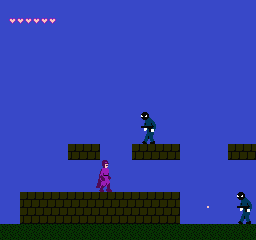
VIGD2 Purple Cape Man.
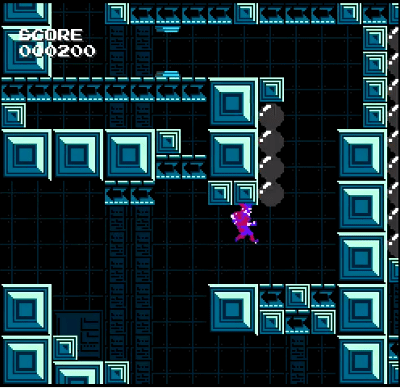
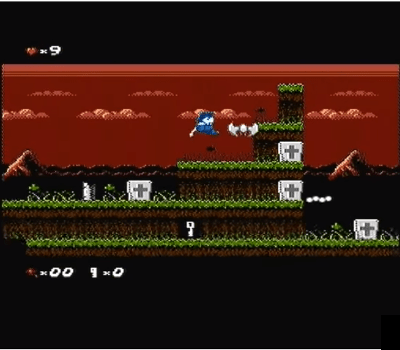
My first game I made, “Purple Cape Man, Vigilante Ninja”, was programmed with NESASM. Someone suggested I make a sequel, which became Vigilante Ninja 2, which is entirely unlike the first game in every way.

Vigilante Ninja 2 was programmed with ASM6 (except the music engine, was programmed in cc65/ca65). Graphics were YY-CHR and level design in Tiled (with a custom python script I wrote to compress each level). The design process could have been much better, since it still required lots of cutting and pasting. So, level editing was very slow.

vig2_lv4-1 Vigilante Ninja 2.

What went right?

The music.

Probably the best part of the game. Originally, I wrote a temporary song for the demo, and had planned to write a song for every level. Luckily, estlib was kind enough to write songs for me, which are excellent.

He used more sound effects than any famitone version could handle, so I had to use the full famitracker driver…and again…lucky for me that Shiru wrote a version of famitone to compliment the full famitracker driver.

There is still a small, rare bug that I was unable to diagnose and solve. The main downside to using an unfamiliar sound engine. Occasionally, when you start level 4, the main melody doesn’t play for a few seconds. But the bass line plays. It doesn’t sound “wrong”, but it was.

Some of the graphics.

At the start, I had no idea what I was doing, or even what style I wanted. I actually redid the level 1 graphics 3-4 times, and completely redrew the hero. A fellow homebrewer informed me that the graphics of my game were crap, so I kept trying to improve them.

vigN_Old

vigN_Old2
vigN_Old3
Vig2New

By the end, especially level 4, I had my flow, and the graphics actually started to click. Many of the enemies in level 5 (fire, ghost) are my favorites.

Vig2-Lv5

The process of sketching on paper, and drawing in GIMP, then YY-CHR didn’t change. But, I got better at it over time. I wish I had put more effort into animating. Nearly every enemy only has 2 animation frames. And I had plenty of blank tiles I could have used.

Special thanks again to Nicolas Betoux for drawing the title screen graphics. Paired with the excellent title screen music (by estlib), it really made my little homebrew feel like a real NES game.

The throwing weapons.

One of the more fun parts of the game is collecting different weapons and using them. Oddly, I got complaints that you had unlimited shots, so I (very late) added a power bar, which drains if you use too many weapons. I’m still not satisfied with this hacky solution, since it just slows the game down (especially fighting a boss).

Most of the game engine.

Vigilante Ninja 2 scrolls pretty smoothly, without bugs. The NMI code got a little spaghetti like at the end, when I added bank switching. All the level testing was done with NROM sized roms, even through level 5. I made 2 separate level 5 test ROMs, 1 for level, 1 for boss.

In the end, when I finally switched to MMC3, I put in what I called “trampolines” in the main fixed bank, which switched (for example) the music code and data banks in and started the music engine. But it wasn’t so easy, and the bank switching code is ugly and hacky. But I suppose everything is working… so it’s good enough… just don’t expect to reuse the code in a year and understand what everything is doing.

What didn’t work?

The Sprite system.

I didn’t plan the sprite object system well. Pretty much just used static addresses in the OAM buffer, which made the size and shape of enemies very inflexible and difficult to change. And, I used an entirely different 256 bytes of RAM just for sprite shuffling, which was a huge waste of memory. (NES has only about 2000 bytes of usable RAM).

The worst part of it, was I didn’t use variable names in the original code, just address numbers. And, so much time passed before I revisited the object code, that I barely knew what the numbers meant. I wanted to change things, but I would have had to rewrite a thousand lines of code, so I kept the original terrible system.

I rewrote part of it for the hero, just so I could layer sprites (the sword). I wanted to change the look of coins and make them bigger, but I painted myself into a corner, and couldn’t change a little thing without rewriting everything. So, my biggest regret is not starting with a better sprite code.

The gameplay.

Looking back, there is very little difference between the different sub-levels. Sure, the graphics and enemies change from level to level, but I could have done 100 little things to make each sub-level feel interesting. Hidden things. Changes in graphics. More interactive elements. A specific goal (collect all X, kill all X’s, avoid X). A special throwing weapon only found in room 23. A secret 1 up, if you do X.

Basically, just run from the left to the right, and don’t die. Not great.

Enemy AI.

Probably the weakest point of the game. Most enemies walk left and right. A few fly in right to left. Shoot them, get a standard reward.

Level 3 has the most interesting enemies. The spider can climb any wall, and always follows you. I think (at least in early versions) if you slowly walk right, the spider can climb on top of the ceiling and follow you pretty far.

The bat (not the boss), was an attempt at a more aggressive enemy, who loops around attacking you. However, he’s a bit buggy if you move a certain way. Never quite got him right.

Vig2-Bat

The bees (level 4) chase you, fly just above you, and try to sting you. It’s all timed a certain way, that it pretty much always misses you trying to sting. I had to slow them down, as they were damn hard to get away from or hit.

But, nearly all the rest just slowly walk around, and disappear if they wander just a bit too far left. Also a failure, not keeping off screen coordinates, so he could walk back on screen after that.

The Ending.

I wish I had done a more elaborate ending. It’s just 1 screen of text, and then the credits. I had room for more graphics, I could have done some more graphic story…maybe related to that magic sword I kept talking about.

Marketing.

I really dropped the ball here. I barely made an effort to advertise the game development. I had a thread over at nesdev forums, and mentioned it on my blog. But, almost no one from the nesdev forum asked me for a copy of the game. I guess buyers don’t visit there.

I didn’t make boxes, or print booklets, etc. I could have printed T-shirts. I could have traveled to game conventions. Or tried to contact all the used game stores within an hour drive of my house. But, I didn’t.

When I finally did mention the game to buyers, it was right after the release of Ninja II, a completely different homebrew game with a similar name…which I think caused some confusion.

Actually, the entire concept… making a sequel to a lousy game that no one played, and making it completely different, was confusing. Several people asked me “where is Vigilante Ninja 1?” Well, it’s called ‘Purple Cape Man’, and it’s not the same game. I had a few people ask me, “if he’s a vigilante, why is he fighting squirrels and bunnies?” I think a different name and concept would have helped.

Conclusions…

In 2 years, I learned a lot. Made a full sized NES game. Put it on a cartridge (thanks infinite NES lives), and gamers around the world are playing it. I’ll say partial success. There have been so many great NES homebrew releases lately, that have really raised the bar. Perhaps people would be better off buying Haunted Halloween, or Twin Dragons, or Lizard. I’d be ok with that.

And I’m still making games. Maybe the next game will be the one everyone remembers. Only time will tell. Back to the work I go.

Appendix, neslib library

Shiru wrote the neslib code, for NES development. These are all my detailed notes on how everything works. I will be adding example code, a little later. I mostly use a slightly modified version of the neslib from

http://shiru.untergrund.net/files/nes/chase.zip

And, here again is the example code

http://shiru.untergrund.net/files/src/cc65_nes_examples.zip

.

(I use a modified version of neslib. You can get it from any of my examples.)

.

Palette

pal_all(const char *data);

const unsigned char game_palette[]={…} // define a 32 byte array of chars
pal_all(game_palette);

-pass a pointer to a 32 byte full palette
-it will copy 32 bytes from there to a buffer
-can be done any time, this only updates during v-blank

pal_bg(bg_palette); // 16 bytes only, background

pal_spr(sprite_palette); // 16 bytes only, sprites
-same as pal_all, but 16 bytes

pal_col(unsigned char index,unsigned char color);
-sets only 1 color in any palette, BG or Sprite
-can be done any time, this only updates during v-blank
-index = 0 – 31 (0-15 bg, 16-31 sprite)

#define RED 0x16
pal_col(0, RED); // would set the background color red
pal_col(0, 0x30); // would set the background color white = 0x30

pal_col() might be useful for rotating colors (SMB coins), or blinking a sprite
NOTE: palette buffer is set at 0x1c0-0x1df in example code
PAL_BUF =$01c0, defined somewhere in crt0.s
-this is in the hardware stack. If subroutine calls are more than 16 deep, it will start to overwrite the buffer, possibly causing wrong colors or game crashing

pal_clear(void); // just sets all colors to black, can be done any time

pal_bright(unsigned char bright); // brightens or darkens all the colors
– 0-8, 4 = normal, 3 2 1 darker, 5 6 7 lighter
– 0 is black, 4 is normal, 8 is white
pal_bright(4); // normal

NOTE: pal_bright() must be called at least once during init (and it is, in crt0.s). It sets a pointer to colors that needs to be set for the palette update to work.

Shiru has a fading function in the Chase source code game.c

void pal_fade_to(unsigned to)
{
  if(!to) music_stop();
  while(bright!=to)
  {
    delay(4);
    if(bright<to) ++bright; 
    else --bright;
    pal_bright(bright);
  }
  if(!bright)
  {
    ppu_off();
    set_vram_update(NULL);
    scroll(0,0);
  }
}

pal_spr_bright(unsigned char bright);
-sets sprite brightness only

pal_bg_bright(unsigned char bright);  -sets BG brightness , use 0-8, same as pal_bright()

ppu_wait_nmi(void);
-wait for next frame

ppu_wait_frame(void);
-it waits an extra frame every 5 frames, for NTSC TVs
-do not use this, I removed it
-potentially buggy with split screens

ppu_off(void); // turns off screen

ppu_on_all(void); // turns sprites and BG back on

ppu_on_bg(void); // only turns BG on, doesn’t affect sprites
ppu_on_spr(void); // only turns sprites on, doesn’t affect bg

ppu_mask(unsigned char mask); // sets the 2001 register manually, see nesdev wiki
-could be used to set color emphasis or grayscale modes

ppu_mask(0x1e); // normal, screen on
ppu_mask(0x1f); // grayscale mode, screen on
ppu_mask(0xfe); // screen on, all color emphasis bits set, darkening the screen

ppu_system(void); // returns 0 for PAL, !0 for NTSC

-during init, it does some timed code, and it figures out what kind of TV system is running. This is a way to access that information, if you want to have it programmed differently for each type of TV
-use like…
a = ppu_system();

Sprites

oam_clear(void); // clears the OAM buffer, making all sprites disappear

OAM_BUF =$0200, defined somewhere in crt0.s

oam_size(unsigned char size); // sets sprite size to 8×8 or 8×16 mode

oam_size(0); // 8×8 mode
oam_size(1); // 8×16 mode

NOTE: at the start of each loop, set sprid to 0

sprid = 0;

then every time you push a sprite to the OAM buffer, it returns the next index value (sprid)

oam_spr(unsigned char x,unsigned char y,unsigned char chrnum,unsigned char attr,unsigned char sprid);
-returns sprid (the current index to the OAM buffer)
-sprid is the number of sprites in the buffer times 4 (4 bytes per sprite)

sprid = oam_spr(1,2,3,0,sprid);
-this will put a sprite at X=1,Y=2, use tile #3, palette #0, and we’re using sprid to keep track of the index into the buffer

sprid = oam_spr (1,2,3,0|OAM_FLIP_H,sprid); // the same, but flip the sprite horizontally
sprid = oam_spr (1,2,3,0|OAM_FLIP_V,sprid); // the same, but flip the sprite vertically
sprid = oam_spr (1,2,3,0|OAM_FLIP_H|OAM_FLIP_V,sprid); // the same, but flip the sprite horizontally and vertically
sprid = oam_spr (1,2,3,0|OAM_BEHIND,sprid); // the sprite will be behind the background, but in front of the universal background color (the very first bg palette entry)

oam_meta_spr(unsigned char x,unsigned char y,unsigned char sprid,const unsigned char *data);
-returns sprid (the current index to the OAM buffer)
-sprid is the number of sprites in the buffer times 4 (4 bytes per sprite)

sprid = oam_meta_spr(1,2,sprid, metasprite1)

const unsigned char metasprite1[] = …; // definition of the metasprite, array of chars

This would put the metasprite at a relative location of x=1,y=2

A metasprite is a collection of sprites
-you can’t flip it so easily
-you can make a metasprite with nes screen tool
-it’s an array of 4 bytes per tile =
-x offset, y offset, tile, attribute (per tile palette/flip)
-you have to pass a pointer to this data array
-the data set needs to terminate in 128 (0x80)
-during each loop (frame) you will be pushing sprites to the OAM buffer
-they will automatically go to the OAM during v-blank (part of nmi code)

oam_hide_rest(unsigned char sprid);
-pushes the rest of the sprites off screen
-do at the end of each loop

-necessary, if you don’t clear the sprites at the beginning of each loop
-if # of sprites on screen is exactly 64, the sprid value would wrap around to 0, and this function would accidentally push all your sprites off screen (passing 0 will push all sprites off screen)
-if for some reason you pass a value not divisible by 4 (like 3), this function would crash the game in an infinite loop
-it might be safer, then, to just use oam_clear() at the start of each loop, and never call oam_hide_rest()

Music

Note, in crt0.s, the music data is included after music_data: and the init code initializes the music system.

music_play(unsigned char song); // send it a song number, it sets a pointer to the start of the song, will play automatically, updated during v-blank
music_play(0); // plays song #0

music_stop(void); // stops the song, must do music_play() to start again, which will start the beginning of the song

music_pause(unsigned char pause); // pauses a song, and unpauses a song at the point you paused it

music_pause(1); // pause
music_pause(0); // unpause

sfx_play(unsigned char sound,unsigned char channel); // sets a pointer to the start of a sound fx, which will auto-play

sfx_play(0, 0); // plays sound effect #0, priority #0

channel 3 has priority over 2,,,,,, 3 > 2 > 1 > 0. If 2 sound effects conflict, the higher priority will play.

sample_play(unsigned char sample); // play a DMC sound effect

sample_play(0); // play DMC sample #0

Controllers

pad_poll(unsigned char pad);
-reads a controller
-have to send it a 0 or 1, one for each controller
-do this once per frame

pad1 = pad_poll(0); // reads contoller #1, store in pad1
pad2 = pad_poll(1); // reads contoller #2, store in pad2

pad_trigger(unsigned char pad); // only gets new button presses, not if held

a = pad_trigger(0); // read controller #1, return only if new press this frame
b = pad_trigger(1); // read controller #2, return only if new press this frame

-this actually calls pad_poll(), but returns only new presses, not buttons held

pad_state(unsigned char pad);
-get last poll without polling again
-do pad_poll() first, every frame
-this is so you have a consistent value all frame
-can do this multiple times per frame and will still get the same info

pad1 = pad_state(0); // controller #1, get last poll
pad2 = pad_state(1); // controller #2, get last poll

Scrolling

It is expected that you have 2 int’s defined (2 bytes each), ScrollX and ScrollY.
You need to manually keep them from 0 to 0x01ff (0x01df for y, there are only 240 scanlines, not 256)
In example code 9, shiru does this

– -y;

if(y<0) y=240*2-1; // keep Y within the total height of two nametables

scroll(unsigned int x,unsigned int y);
-sets the x and y scroll. can do any time, the numbers don’t go to the 2005 registers till next v-blank
-the upper bit changes the base nametable, register 2000 (during the next v-blank)
-assuming you have mirroring set correctly, it will scroll into the next nametable.

scroll(scroll_X,scroll_Y);

*note, I don’t use this scroll function, but my own similar ones, where you don’t need to keep Y between 0 and $1df.

split(unsigned int x,unsigned int y);
-waits for sprite zero hit, then changes the x scroll
-will only work if you have a sprite currently in the OAM at the zero position, and it’s somewhere on-screen with a non-transparent portion overlapping the non-transparent portion of a BG tile.

-i’m not sure why it asks for y, since it doesn’t change the y scroll
-it’s actually very hard to do a mid-screen y scroll change, so this is probably for the best
-warning: all CPU time between the function call and the actual split point will be wasted!
-don’t use ppu_wait_frame() with this, you might have glitches

Tile banks

-there are 2 sets of 256 tiles loaded to the ppu, ppu addresses 0-0x1fff
-sprites and bg can freely choose which tileset to use, or even both use the same set

bank_spr(unsigned char n); // which set of tiles for sprites

bank_spr(0); // use the first set of tiles
bank_spr(1); // use the second set of tiles

bank_bg(unsigned char n); // which set of tiles for background

bank_bg(0); // use the first set of tiles
bank_bg(1); // use the second set of tiles

rand8(void); // get a random number 0-255
a = rand8(); // a is char

rand16(void); // get a random number 0-65535
a = rand16(); // a is int

set_rand(unsigned int seed); // send an int (2 bytes) to seed the rng

-note, crt0 init code auto sets the seed to 0xfdfd
-you might want to use another seeding method, if randomness is important, like checking FRAME_CNT1 at the time of START pressed on title screen


Writing to the screen

set_vram_update(unsigned char *buf);
-sets a pointer to an array (a VRAM update buffer, somewhere in the RAM)
-when rendering is ON, this is how BG updates are made

usage…
set_vram_update(Some_ROM_Array); // sets a pointer to the data in ROM

also…
set_vram_update(NULL);
-to disable updates, call this function with NULL pointer

The vram buffer should be filled like this…

Non-sequential:
-non-sequential means it will set a PPU address, then write 1 byte
-MSB, LSB, 1 byte data, repeat
-sequence terminated in 0xff (NT_UPD_EOF)

MSB = high byte of PPU address
LSB = low byte of PPU address

Sequential:
-sequential means it will set a PPU address, then write more than 1 byte to the ppu
-left to right (or) top to bottom
-MSB|NT_UPD_HORZ, LSB, # of bytes, a list of the bytes, repeat
or
-MSB|NT_UPD_VERT, LSB, # of bytes, a list of the bytes, repeat
-NT_UPD_HORZ, means it will write left to right, wrapping around to the next line
-NT_UPD_VERT, means is will write top to bottom, but a new address needs to be set after it reaches the bottom of the screen, as it will never wrap to the next column over
-sequence terminated in 0xff (NT_UPD_EOF)

#define NT_UPD_HORZ 0x40 = sequential
#define NT_UPD_VERT 0x80 = sequential
#define NT_UPD_EOF 0xff

Example of 4 sequential writes, left to right, starting at screen position x=1,y=2
tile #’s are 5,6,7,8
{
MSB(NTADR_A(1,2))|NT_UPD_HORZ,
LSB(NTADR_A(1,2)),
4, // 4 writes
5,6,7,8, // tile #’s
NT_UPD_EOF
};

Interestingly, it will continually write the same data, every v-blank, unless you send a NULL pointer like this…
set_vram_update(NULL);
…though, it may not make much difference.
The data set (aka vram buffer) must not be > 256 bytes, including the ff at the end of the data, and should not push more than…I don’t know, maybe * bytes of data to the ppu, since this happens during v-blank and not during rendering off, time is very very limited.

* Max v-ram changes per frame, with rendering on, before BAD THINGS start to happen…

sequential max = 97 (no palette change this frame),
74 (w palette change this frame)

non-sequential max = 40 (no palette change this frame),
31 (w palette change this frame)

the buffer only needs to be…
3 * 40 + 1 = 121 bytes in size
…as it can’t push more bytes than that, during v-blank.

(this hasn’t been tested on hardware, only FCEUX)

// all following vram functions only work when display is disabled

vram_adr(unsigned int adr);
-sets a PPU address
(sets a start point in the background for writing tiles)

vram_adr(NAMETABLE_A); // start at the top left of the screen
vram_adr(NTADR_A(x,y));
vram_adr(NTADR_A(5,6)); // sets a start position x=5,y=6

vram_put(unsigned char n); // puts 1 byte there
-use vram_adr(); first

vram_put(6); // push tile # 6 to screen

vram_fill(unsigned char n,unsigned int len); // repeat same tile * LEN
-use vram_adr(); first
-might have to use vram_inc(); first (see below)

vram_fill(1, 0x200); // tile # 1 pushed 512 times

vram_inc(unsigned char n); // mode of ppu
vram_inc(0); // data gets pushed into vram left to right (wraping to next line)
vram_inc(1); // data gets pushed into vram top to bottom (only works for 1 column (30 bytes), then you have to set another address).
-do this BEFORE writing to the screen, if you need to change directions

vram_read(unsigned char *dst,unsigned int size);
-reads a byte from vram
-use vram_adr(); first
-dst is where in RAM you will be storing this data from the ppu, size is how many bytes

vram_read(0x300, 2); // read 2 bytes from vram, write to RAM 0x300

NOTE, don’t read from the palette, just use the palette buffer at 0x1c0

vram_write(unsigned char *src,unsigned int size);
-write some bytes to the vram
-use vram_adr(); first
-src is a pointer to the data you are writing to the ppu
-size is how many bytes to write

vram_write(0x300, 2); // write 2 bytes to vram, from RAM 0x300
vram_write(TEXT,sizeof(TEXT)); // TEXT[] is an array of bytes to write to vram.
(For some reason this gave me an error, passing just an array name, had to cast to char * pointer)
vram_write((unsigned char*)TEXT,sizeof(TEXT));

vram_unrle(const unsigned char *data);
-pass it a pointer to the RLE data, and it will push it all to the PPU.
-this unpacks compressed data to the vram
-this is what you should actually use most…this is what NES screen tool outputs best.
vram_unrle(titleRLE);

usage:
-first, disable rendering, ppu_off();
-set vram_inc(0) and set a starting address, vram_adr()
-call vram_unrle();
-then turn rendering back on, ppu_on_all()
-only load 1 nametable worth of data, per frame

NOTE:
-nmi is turned on in init, and never comes off

memcpy(void *dst,void *src,unsigned int len);
-moves data from one place to another…usually from ROM to RAM

memcpy(update_list,updateListData,sizeof(updateListData));

memfill(void *dst,unsigned char value,unsigned int len);
-fill memory with a value

memfill(0x200, 1, 0x100);
-to fill 0x200-0x2ff with tile #1…that is 0x100 bytes worth of filling

delay(unsigned char frames); // waits a # of frames

delay(5); // wait 5 frames

TECHNICAL NOTES, ON ASM BITS IN NESLIB.S:
-vram (besides the palette) is only updated if VRAM_UPDATE + NAME_UPD_ENABLE are set…
-ppu_wait_frame (or) ppu_wait_nmi, sets ‘UPDATE’
-set_vram_update, sets ‘ENABLE’
-set_vram_update(0); disables the vram ‘UPDATE’
-I guess you can’t set a pointer to the zero page address 0x0000, or it will never update.
-music only plays if FT_SONG_SPEED is set, play sets it, stop resets it, pause sets it to negative (ORA #$80), unpause clears that bit


30. ASM part 5

Probably the final 6502 ASM lesson. I’m going to try to cover everything I forgot.

Switch (foo){
case 0:

break;
case 1:

break;
case 2:

}

Let’s say we have a variable ‘state’ that if state = 0, we do one thing. If state = 1, we do another thing. Etc. Generally, it would be handled like this…

  LDA foo      load A from address foo, will set a zero flag if foo = 0
  BNE Check_1  branch ahead if foo != 0
  ...
  JMP Done     break
Check_1:       A is still loaded with value from foo
  CMP #1       compare to value 1, sets zero flag if foo = 1
  BNE Check_2  branch ahead if foo != 1
  ...
  JMP Done     break
Check_2:       A is still loaded with value from foo
  CMP #2       compare to value 2, sets zero flag if foo = 2
  BNE Done     branch ahead if foo != 2
  ...
Done:

Comments are done with a ; in ca65

;this is a comment

You add additional ASM source code like this…

.include “Second_ASM_File.asm”

You add binary files like this…

.incbin “Something.bin”

Often, you put a binary file just below a label, so you can index it from the label.

Label_Name:
.incbin “Something.bin”

You might wonder why I never add the lines .P02 (to set to 6502 mode) or -t nes (to set the target as ‘NES’), and the answer is…it makes no difference. The default mode of ca65 assembles exactly how I want, so I don’t bother.

I skipped over the V flag (overflow). The V flag is only set by ADC and SBC (and BIT). This is a way to treat the numbers as signed -128 to +127.

For ADC, the V flag is only set if 2 positive numbers add together to get a negative, or if 2 negative numbers add together to get a positive. Any other ADC operation will clear the V flag.

For SBC, the V flag is only set if Pos-Neg = Neg…or if Neg-Pos = Pos. All other SBC operations will clear the V flag.

What you do with the result is up to you, but you have BVC (branch if V clear) and BVS (branch if V set) to help you decide.

MULTIPLICATION/DIVISION

I went and wrote several routines that would do these as efficiently as I could think…and then I found these webpages, which do the same thing about 10x faster.

http://6502org.wikidot.com/software-math-intmul

http://6502org.wikidot.com/software-math-intdiv

I’ve tried them out. They work great.

OH, and before I forget, I found another webpage with an online assembler, that you can test out code.

https://skilldrick.github.io/easy6502/

I can’t think of anything else at this time, but you can look at these resources for more infomation…

http://www.6502.org/

http://wiki.nesdev.com/w/index.php/Programming_guide

Click to access Programmanual.pdf

The last one has lots of info about 65C02 and 65816 processors too, but if you scroll down to Chapter 18 (p.326) it will describe how all the instructions work. Most of them are relevant to 6502 programming also.

29. ASM part 4

Yet another 6502 ASM lesson.

Arrays

The way to access arrays in 6502 ASM is to use indexed addresses. The X (or Y) register is used as the indexer. As usual, X=0 will get the first byte of the array.

LDX #0         load X with value 0
LDA Array1, X  will load A from the address Array + X
STA foo        A = $3f, store A at foo
...
Array1:
.byte $3f, $4f, $5f, $6f

*Warning, if your array address is in the zero page, and your index would put the address in the next page, it won’t fetch from the $100 page, but rather from zero-page.

This is a bug of zero-page indexing on the 6502 processor. If you absolutely must put an array half in the zero-page and half out (I don’t know why you would), you can force the assembler to use an ‘absolute address’…ie. a 16-bit address, like this…

LDA a:Array2, X  ;this will correctly get the byte from the $100 page

Here’s another array example using the Y register.

LDY #1
LDA Array1, Y

And, you can use STA the same way…to fill an array.
LDA #1
LDX #5
STA Array1, X store the value 1, at the address ‘Array1’ + 5

Loops

Loops are fairly easy…

for (X = 0;X < 50; X++)

  LDX #0
Loop:
  ...some code...
  INX 
  CPX #50   compare X to 50
  BNE Loop  not 50, branch back to Loop

It can also be done like this…

  LDX #50
Loop:
  ...some code...
  DEX         X--, if result = 0, sets zero flag
  BNE Loop    if no zero flag, branch back to Loop

Bigger Loop, if you need a loop bigger than 256

  LDY #4
  LDX #0
Loop:
  ...some code...
  DEX
  BNE Loop
  DEY
  BNE Loop  Will loop 1024 times

Way bigger than anyone will ever need Loop, just for fun…

  LDA #5
  STA counter
  LDY #0
  LDX #0
Loop:
  ...some code...
  DEX
  BNE Loop
  DEY
  BNE Loop
  DEC counter
  BNE Loop  256*256*5 = 327680 times

Indirect Indexing

LDA (ZP_address,X)
LDA (ZP_address),Y
The first…(ZP_address, X)…I never use, and I don’t like it, so I’m going to skip it altogether. Sorry. I’ve never seen any code that uses it.

The second…(ZP_address), Y…is very useful. It’s the 6502 equivalent of a pointer. You store an address in the zero-page, and you can access the data at the address that it points to…or index from that address with the Y register.

pointer = 2 zero-page addresses reserved

LDA #<SOME_ARRAY
STA pointer
LDA #>SOME_ARRAY
STA pointer+1
LDY #0
LDA (pointer), y load a from address pointer is pointing to...SOME_ARRAY
  A = $5e
LDY #1
LDA (pointer), y load a from address pointer is pointing to plus Y...SOME_ARRAY + 1, A = $7f
SOME_ARRAY:
.byte $5e, $7f

Let’s say you have multiple rooms in the game, and you want to load the graphics for room #3. So, you index to a list of addresses of each room’s data, and store the address in the zero-page, and now you can indirect index from that address using the Y register as the indexer. In this example, pointer and pointer+1 are zero-page addresses.

  LDA room  room = 3
  ASL A     we multiply by 2, because each address is 2 bytes long
  TAX       transfer A to X
  LDA ADDRESSES, X load A with the low byte of the room address
  STA pointer  store A in the zero-page RAM
  LDA ADDRESSES+1, X load A with the high byte of the room address
  STA pointer+1  store A in the zero-page RAM
  LDY #0
LOOP:
  LDA (pointer), Y load A with the fist byte of the array Room3
  STA somewhere, Y Maybe we store this data to another array, for parsing later
  CMP #$ff         let's say, the data set is terminated with $ff
  BEQ EXIT_LOOP    if = $ff, leave this loop
  INY
  BNE LOOP         it will keep looping for 256 bytes, 
                   when Y wraps around to zero
EXIT_LOOP:
ADDRESSES:
.word Room0, Room1, Room2, Room3 
the assembler will replace these with the addresses of each label.
Room0:
...data for room0
Room1:
...data for room1
Room2:
...data for room2
Room3:
...data for room3

Multiple-condition If/then statements…some more examples.

if ((foo == 0)&&(bar < 20))…do code if both true

LDA foo   load A from address foo, sets a few flags, zero flag if = 0
BNE Skip_Ahead  skip the code if foo != 0
LDA bar   load A from address, bar
CMP #20   compare to value 20
BCS Skip_Ahead  skip the code if bar >= 20
...   some code here
Skip_Ahead:

if ((foo == 0) || (bar < 20))…do code if either true

  LDA foo
  BNE Check_Bar  skip if foo != 0, but also check bar
Do_Code:
  ...
  JMP Ahead
Check_Bar:
  LDA bar
  CMP #20
  BCC Do_Code  branch to Do_Code if bar < 20
Ahead:

28. ASM part 3

Welcome to part 3 of my 6502 ASM lessons.

Jumping, moves the execution of the program somewhere else.

Examples:

  LDA #5
  JMP Skip_Next_Line jump to label 'Skip_Next_Line'
  LDA #7             never does this
Skip_Next_Line:
  STA foo            A = 5, store A at address foo
Infinite_Loop:
  LDA #5
  JMP Infinite_Loop     jump to the label 'Infinite_Loop'
  STA foo               never does this


Indirect jumping

One way to control flow of a program is to have an array of addresses of various parts of the program, and jump to them indirectly.

LDA program_state load A from address program_state
ASL A             multiply by 2, since each address is 2 bytes long
TAX               transfer A to X
LDA ADDRESSES, X  load A from ADDRESSES + X (low byte of an address)
STA jump_address  store A at jump_address
LDA ADDRESSES+1, X load A from ADDRESSES+1 + X (high byte of an address)
STA jump_address+1 store A at jump_address+1
JMP (jump_address) jump to the address pointed to by jump_address
ADDRESSES:
.word FUNCTION1, FUNCTION2 
the assembler will replace these with the address of each label
FUNCTION1:
 ...
FUNCTION2:
 ...

*Warning, there is a bug related to indirect jumps. The first byte of the indirect jump address can’t be on the last byte of a page (such as $3ff). Rather than fetching the second byte from the next page $400, it will fetch the second byte from the same page $300. In the example above, jump_address can’t be located $xff. The addresses of Function1 and Function2 can be anywhere.

Sub-Routines

When you use JSR, you jump to the label, and save the return address on the stack. Once that sub-routine is complete, use RTS to return from where we were before. (the program will pull the return address from the stack)

LDA #2
JSR Multiply_16
STA foo         A=32, store A at address foo
...
Multiply_16:
  ASL A
  ASL A
  ASL A
  ASL A
  RTS


Branching

First lets review the 6502 processor status flags.

c = carry flag
z = zero flag
i = interrupt flag
d = decimal mode (a removed feature, not functioning on the NES)
v = overflow flag
n = negative flag

Most of these flags are useful for comparisons and flow control (branching). Here are some instructions that will set/clear various flags.

CLC = clear the carry flag
SEC = set the carry flag
CLI = clear the interrupt disable flag (allows IRQ interrupts to work)
SEI = set the interrupt disable flag (prevents IRQ interrupts)
CLD = clear decimal flag (set hexadecimal math)
SED = set demical flag (set decimal math) (does not work on the NES)
CLV = clear the overflow flag

It’s important to know why and when each flag is set (and which operations won’t set flags).

ADC, SBC  sets the z, n, c, v flags flags
AND, ORA, EOR sets the z,n flags
ASL, LSR, ROR, ROL sets the z, n, c flags
BIT  sets the z, n, v flags
CMP, CPX, CPY sets the z, n, c flags
DEC, DEX, DEY sets the z, n flags
INC, INX, INY sets the z, n flags
LDA, LDX, LDY sets the z, n flags
TAX, TXA, TAY, TYA sets the z, n flags
PLA sets z, n flags
JMP, JSR, RTS, and BRANCHES do not set any flags
STA, STX, STY do not set any flags
PHA and PHP do not set any flags
PLP changes ALL the flags…that’s what it’s supposed to do

Between the event that set a flag, and the logic that handles the flag, it is safe to store the value somewhere, and safe to branch/jump to another location.

*note: RTI will wipe all your flags, and replace them from a value stored in the stack. When an NMI or IRQ occur, it pushes the processor status and return address to the stack. RTI will return from these interrupts, and it will restore processor status flags (but not the A,X,Y register values).

COMPARISONS (using flags to branch)

CMP compares A to a value
CPX compares X to a value
CPY compares Y to a value

Comparisons work as if a subtraction happened, but without changing the value of A. So think of CMP #5 as SEC,SBC #5. (Also, you don’t need to SEC before CMP.)
If the result is zero, z = 1, else z = 0.
If the result is negative, n = 1, else n = 0.
If the A < value, c = 0. If A >= value, c = 1.
OK, now some branching examples.

LDA foo
CMP bar   does foo = bar ?
BEQ They_are_equal 
 if zero flag set, branch to They_are_equal
BNE They_are_not_equal 
 if zero flag not set, branch to They_are_not_equal
They_are_equal:
  ...
  JMP Next_code
They_are_not_equal:
  ...
Next_code:


LDA foo
CMP #1   does foo = 1 ?
BEQ Foo_Is_One  
 if zero flag set, branch to Foo_Is_One
BNE Foo_Is_Not_One 
 if zero flag not set, branch to Foo_Is_Not_One
Foo_Is_One:
  ...
  JMP Next_code
Foo_Is_Not_One:
  ...
Next_code:

Also, we can use BEQ/BNE to test if a value is zero, because LDA/LDX/LDY sets the zero flag if the value being loaded is zero.

LDA foo     if foo = 0, zero flag set
BEQ Foo_is_zero
BNE Foo_is_not_zero
Foo_is_zero:
  ...
  JMP Next_code
Foo_is_not_zero:
  ...
Next_code:

I discourage the use of CMP with BMI and BPL. You should use BCC and BCS for > < comparisons. Here’s an example without CMP.

*note $80-ff are considered negative. $0-$7f are considered positive. Look at them in binary…
$80 = 10000000
$7f = 01111111
So, if the upper bit = 1, it’s considered negative. If 0, positive.

LDA foo   if foo = negative, n flag set
BMI Foo_is_negative  branch if n flag set
BPL Foo_is_positive  branch if n flag not set
Foo_is_negative:
  ...
  JMP Next_code
Foo_is_positive:
  ...
Next_code:


Comparisons. BCC is equivalent to ‘Branch if Less Than’. BCS is equivalent to ‘Branch if Greater Than or Equal’.

(if foo < 40)…branch

LDA foo
CMP #40
BCC Somewhere branch if foo < 40

(if foo <= 40)…branch

LDA foo
CMP #40
BCC Somewhere branch if foo < 40
BEQ Somewhere branch if foo = 40

or…

LDA foo
CMP #41
BCC Somewhere branch if foo < 41

or…reverse them

LDA #40
CMP foo
BCS Somewhere branch if 40 >= foo

(if foo >= 40)…branch

LDA foo
CMP #40
BCS Somewhere branch if foo >= 40

(if foo > 40)…branch

LDA foo
CMP #41
BCS Somewhere branch if foo >= 41

or…reverse them…

lda #40
CMP foo
BCC Somewhere  branch if 40 < foo

And, CPX for X register. CPY for Y register. They work the same as CMP…
LDX foo
CPX #41
BCS Somewhere branch if foo >= 41

More about BCC and BCS

There are many, many more uses for BCC and BCS.

Let’s say, you want to add numbers, but if result > 255, you want to force it to stay at 255. This works because, if the result of ADC is over 255, the carry flag is set.

LDA foo
CLC
ADC #5   ;carry will only be set if result > 255
BCC Still_Under_256 ;branch if carry clear
  LDA #255  
Still_Under_256:

Similarly, say you want to subtract, but if the result < 0, you want to keep it at zero.

LDA foo
SEC
SBC #5
BCS Still_Zero_Or_More
LDA #0
Still_Zero_Or_More:

You can also use BCC and BCS with ASL/LSR, ROL/ROR. Maybe, you want to use LSR as a modulo 2…to see if a number is even or odd.

LDA foo
LSR A   ;bit-shift right, rightmost bit goes into carry flag
BCC Foo_is_Even
BCS Foo_is_Odd
Foo_is_Even:
  ...
  JMP Next_Code
Foo_is_Odd:
  ...
Next_Code:

One more kind of comparison…

BIT, test a memory without affecting any register A,X,Y.
8-bits are like…(76543210)
bit 7 goes to n (negative flag)
bit 6 goes to v (overflow flag)

example:
BIT foo
BMI foo_is_negative

Also, the BIT instruction tests specific bits of a RAM address, as if an AND instruction were used. LDA with a value…let’s say #1. BIT $30 (tests the bit zero of RAM address 0x30). If it’s that #1 bit is set, Z (zero flag) = 0. If it’s 0, Z = 1. That is…if the result of an AND of the 2 values is zero or not, it affects the Z flag.

You would use BEQ (branch if z set) or BNE (branch if z not set) to control flow from here.

.

*final note:you can only branch +127 or -128 bytes (relative to the byte after the branch instruction. Any more and the assembler will give you branch-out-of-range errors. The standard solution is to replace those long branches with the opposite branch, and a jump to the label.

BEQ label
…over 127 bytes of code…error, too far
label:
……………………………….replace it with…

BNE :+
JMP label
:

label:
: (colon) is an unnamed label. :+ means branch forward to the next unnamed label. :- means branch backwards to the next unnamed label.

27. ASM part 2

Bit Shifting

The 6502 has 2 ways of shifting bits left and right. In these examples, I will number each bit…there are 8 bits, numbered 0-7. Only the accumulator (A register) can do bit shifts and bitwise operations. Also, you can do bit shifting to a RAM address, without affecting A.

LSR – shift right

zero -> 76543210 -> carry flag

ROR – roll right

old carry flag -> 76543210 -> new carry flag

ASL – shift left

carry flag <- 76543210 <- zero

ROL – roll left

new carry flag <- 76543210 <- old carry flag

LSR shifts all the bits right one position, and a zero goes into the highest bit. Effectively, this is the same as dividing by 2, with some rounding error.

zero -> 00010000
        00001000, carry = 0
zero -> 00001111
        00000111, carry = 1

ROR works the same as LSR, except the old carry flag goes in rather than zero.

ASL shifts all the bits left one position, and a zero goes into the lowest bit. Effectively, this is the same as multiplying by 2. Right to left here…

   00010000 <- zero
<- 00100000
carry = 0
   11110000 <- zero
<- 11100000
carry = 1

ROL works the same as ASL, except the old carry flag goes in rather than zero.

Now, some examples, using C programming examples to start with.

foo = bar << 2;  // 8-bit numbers

LDA bar  load A from address bar
ASL A    bit-shift A left
STA foo  store A to address foo

foo = bar >> 3; //8-bit numbers
LDA bar  load A from address bar
LSR A  bit-shift A right
STA foo  store A to address foo

And, here's some 16-bit examples.

foo = bar << 2;  // 16-bit numbers

LDA bar+1  load A from address bar+1 (the high byte)
STA foo+1  store A to a address foo+1 (the high byte)
LDA bar    lda A from address bar (the low byte)
ASL A      bit-shift A left (high bit shifted into carry flag)
ROL foo+1  bit-shift left address 'foo+1', rolling that carry flag in
ASL A      bit-shift A left (high bit shifted into carry flag)
ROL foo+1  bit-shift left address 'foo+1', rolling that carry flag in
STA foo    store A to the address foo (the low byte)


foo = bar >> 3; //16-bit numbers

LDA bar   load A from address bar (the low byte)
STA foo   store A to the address foo (the low byte)
LDA bar+1 load A from the address bar+1 (the high byte)
LSR A     bit-shift A right (low bit shifted into carry flag)
ROR foo   bit shift right address 'foo', rolling that carry flag in
LSR A     ...
ROR foo
LSR A
ROR foo   ...3 times
STA foo+1 store A to the address foo+1 (the high byte).


Bitwise Operations.

AND, OR, and XOR…called here AND, ORA, and EOR. These things only work with the A register.

Here’s what AND does. bit by bit.

AND #value
A, AND value= result

0 AND 0 = 0
0 AND 1 = 0
1 AND 0 = 0
1 AND 1 = 1

AND only sets a bit if both bits in A and value are 1.

Example:

A      00010001
value  00000101
result 00000001

AND is used to isolate a single bit. The way I handle button presses, I roll them into joypad1. If I want to find out if the Left button is being pressed…I know that it is this bit of joypad1 00000010 ($02). Here’s how the code would usually go…

LEFT = $02 ;defined at the top of the page

LDA joypad1  load A from address joypad1
AND #LEFT    AND A with value 2, result now in A
BEQ :+       branch if the result is zero (to unnamed label)
             skipping this next line of code
JSR Left_Pressed jump to sub-routine handline left button presses
:            just a label

Another use for AND, is to ‘mask’ out certain bits. Let’s say, I have a peice of data, where the upper bit is a special flag, and the lower 7 bits is the data. If I want just the data, I would AND #$7f (01111111) to remove the upper-bit…

LDA data
AND #$7f


ORA (bitwise OR operation)

Here’s what ORA does. bit by bit.

ORA #value
A, ORA value= result
0 ORA 0 = 0
0 ORA 1 = 1
1 ORA 0 = 1
1 ORA 1 = 1

If either A or the value has a bit set, the result will have that bit set.
Example:
A      00010001
value  00000101
result 00010101

ORA is a way ensure that certain bits are set, without effecting the other bits (as math would do).

Music code is a good example. The left 4 bits control the sound. The right 4 bits volume. So, if you want to keep the ‘instrument’ the same, the first 4 bits would always be $C (for example), while the volume may change. So, you might store $c0 in variable ‘instrument’ and store the volume in variable ‘volume’. When you need to combine them, you would use ORA.

LDA instrument  instrument is $c0
ORA volume      volume is 0 - $0f
STA $4000       result stored to music register, address $4000.


EOR (exclusive OR operation), means one or the other, but not both.

EOR #value
A, EOR value= result
0 EOR 0 = 0
0 EOR 1 = 1
1 EOR 0 = 1
1 EOR 1 = 0
Example:
A      00010001
value  00000101
result 00010100

EOR is usually used to get the negative value of a number. Say you have -5 ($fb) and you want to turn it into 5, you EOR #$ff and add 1. The same for converting back to -5.
LDA foo   Let's say foo = $fb (-5)
EOR #$ff  A = 4 now
CLC
ADC #1    A = 5 now

and reverse works too…

LDA foo   Let's say foo = 5
EOR #$ff  A = $fa now
CLC
ADC #1    A = $fb now (-5)


TRANSFERRING registers

TAX  A transfers to X
TXA  X transfers to A
TAY  A transfers to Y
TYA  Y transfers to A

TXS  X transferred to the stack pointer
TSX  stack pointer transferred to X

This is the only way to access the stack pointer. Usually, the stack pointer is set to $ff at the start of the program and never thought of again.
LDX #$ff load X with value $ff
TXS      transfer to stack pointer

(the stack grows down from $1ff)

More Stack Operations
PHA push A to the stack (and adjust the stack pointer -1)
PLA pull A (pop A) from the stack (and adjust the stack pointer +1)

PHP push the processor status to the stack (and stack pointer -1)
PLP pull the processor status from the stack (and stack pointer +1)

Unfortunately, you can’t push a few arguments to the stack, jump to a sub-routine and then use those numbers…not easily, at least. Because, the jump to sub-routine also pushes the return address to the stack, on top of your numbers. PHA and PLA can be used as a cheap local variable. But, be careful. If you’re inside a sub-routine and you PHA, and forget to PLA, your program will crash when it tries to pull the return address, and gets your PHA number instead.

A few more things…

NOP  does nothing but wastes 2 cycles of CPU time
BRK  a non-maskable interrupt…will jump the program to wherever the BRK vector tells it…this usually only happens if a big error has occured, as the machine code for BRK is #00…which indicates that the program has branched to an area of the ROM with nothing there.


And, next time we will go over jumping, branching, and comparison.