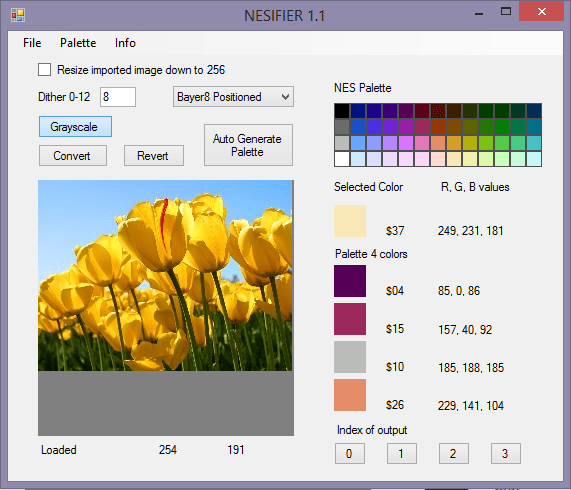
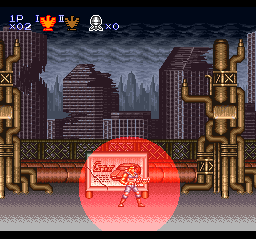
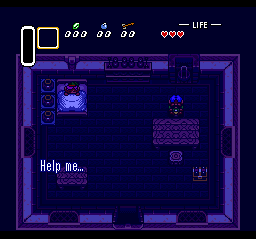
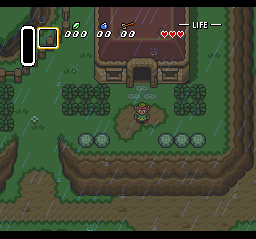
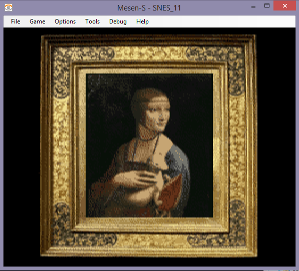
Hey, I made an app this week. It can convert an image into a 4 color NES palette image. It can also save as CHR and do different levels of dithering. It runs on Windows computers. It should run on non-Windows computers with MONO.
Load an image from file, or paste from the clipboard (should be 256×256 or smaller).
Press Auto Generate Palette (or select colors from the NES palette)…(or select colors directly from the image).
Then press “convert”. This is with dithering set to Floyd Steinberg.
And below is Bayer 8×8 positioned dithering.
You can also convert to grayscale first (press the “grayscale” button).
Above is the image converted and dithered in gray.
Sometimes the Auto Generate won’t give the colors you want. You will have to manually change one of the colors. (click on the NES palette, then a box).
And you can save this as an image or as a CHR file for NES game development (nesdev). You can open the CHR file with a CHR editor, like YY-CHR.
You don’t need to use “auto generate palette”. You can click on the NES palette, then a box. You can click on the image itself to pick a color, then a box. You can load a palette from file (12 byte RGB or 4 byte NES).
I am frequently looking this stuff up, so I decided to just post the lists here. Sources BootGod and Wikipedia.
US NES games
(minus the prototypes and duplicates)
10-Yard Fight 1942 1943: The Battle of Midway 3-D Battles of Worldrunner, The 6 in 1 720° 8 Eyes Abadox: The Deadly Inner War Action 52 Addams Family, The Addams Family, The: Pugsley’s Scavenger Hunt Adventure Island Adventure Island II Adventure Island III Adventures in the Magic Kingdom, Disney’s Adventures of Bayou Billy, The Adventures of Dino Riki Adventures of Gilligan’s Island, The Adventures of Lolo Adventures of Lolo 2 Adventures of Lolo 3 Adventures of Rad Gravity, The Adventures of Rocky and Bullwinkle and Friends, The Adventures of Tom Sawyer After Burner Air Fortress Airwolf Al Unser Jr. Turbo Racing Alfred Chicken Alien Syndrome Alien³ All-Pro Basketball Alpha Mission Amagon American Gladiators Anticipation Arch Rivals: A Basketbrawl! Archon Arkanoid Arkista’s Ring Astyanax Athena Athletic World Attack of the Killer Tomatoes Baby Boomer Back to the Future Back to the Future II & III Bad Dudes Bad News Baseball Bad Street Brawler Balloon Fight Bandai Golf: Challenge Pebble Beach Bandit Kings of Ancient China Barbie (RevA) Bard’s Tale, The: Tales of the Unknown Barker Bill’s Trick Shooting Base Wars: Cyber Stadium Series Baseball Baseball Simulator 1.000 Baseball Stars Baseball Stars II Bases Loaded (RevA) Bases Loaded 3, Ryne Sandberg Plays Bases Loaded 4 Bases Loaded II: Second Season Batman Batman Returns Batman: Return of the Joker Battle Chess Battle of Olympus, The Battle Tank, Garry Kitchen’s Battleship Battletoads Battletoads & Double Dragon: The Ultimate Team Bee 52 Beetlejuice Best of the Best: Championship Karate Bible Adventures (Ver1.4) Bible Buffet (Ver6.0) Big Nose Freaks Out Big Nose the Caveman Bigfoot Bill & Ted’s Excellent Video Game Adventure Bill Elliott’s NASCAR Challenge Bionic Commando Black Bass, The Blackjack Blades of Steel Blaster Master Blue Marlin, The Blues Brothers, The Bo Jackson Baseball Bomberman Bomberman II Bonk’s Adventure Boulder Dash Boy and His Blob, A: Trouble on Blobolonia, David Crane’s Bram Stoker’s Dracula Break Time: The National Pool Tour BreakThru Bubble Bath Babes Bubble Bobble Bubble Bobble: Part 2 Bucky O’Hare Bugs Bunny Birthday Blowout, The Bugs Bunny Crazy Castle, The Bump ‘n’ Jump Burai Fighter BurgerTime Cabal Caesars Palace California Games Capcom’s Gold Medal Challenge ’92 Captain America and the Avengers Captain Comic: The Adventure Captain Planet and the Planeteers Captain SkyHawk Casino Kid Casino Kid II Castelian Castle of Deceit Castle of Dragon Castlequest Castlevania Castlevania II: Simon’s Quest Castlevania III: Dracula’s Curse Caveman Games Challenge of the Dragon Championship Bowling Championship Pool Chessmaster, The Chiller (CHR-CB55) Chip ‘n Dale Rescue Rangers 2, Disney’s Chip ‘n Dale Rescue Rangers, Disney’s Chubby Cherub Circus Caper City Connection Clash At Demonhead Classic Concentration Cliffhanger Clu Clu Land Cobra Command Cobra Triangle Code Name: Viper Color A Dinosaur Commando Conan Conflict Conquest of the Crystal Palace Contra Contra Force Cool World Cowboy Kid Crash ‘n The Boys: Street Challenge Crystal Mines Crystalis Cyberball Cybernoid: The Fighting Machine Dance Aerobics Darkman Darkwing Duck, Disney’s Dash Galaxy in the Alien Asylum Day Dreamin’ Davey Days of Thunder Deadly Towers Death Race Deathbots Defender II Defender of the Crown Defenders of Dynatron City Déjà Vu Demon Sword Desert Commander Destination Earthstar Destiny of an Emperor Dick Tracy Die Hard Dig Dug II: Trouble in Paradise Digger T. Rock: The Legend of the Lost City Dirty Harry Dizzy The Adventurer Donkey Kong (RevA) Donkey Kong 3 Donkey Kong Classics Donkey Kong Jr. (RevA) Donkey Kong Jr. Math Double Dare Double Dragon Double Dragon II: The Revenge (RevA) Double Dragon III: The Sacred Stones Double Dribble (RevA) Double Strike (Ver1.1) Dr. Chaos Dr. Jekyll and Mr. Hyde Dr. Mario Dragon Fighter Dragon Power Dragon Spirit: The New Legend Dragon Warrior (RevA) Dragon Warrior II Dragon Warrior III (Rev0B) Dragon Warrior IV Dragon’s Lair DragonStrike, Advanced Dungeons & Dragons Duck Hunt DuckTales 2, Disney’s DuckTales, Disney’s Dudes with Attitude Dungeon Magic: Sword of the Elements Dusty Diamond’s All-Star Softball Dynowarz: The Destruction of Spondylus Elevator Action Eliminator Boat Duel Excitebike Exodus: Journey to the Promised Land (Ver4.0) F-117a Stealth Fighter F-15 City War (Ver1.1) F-15 Strike Eagle Family Feud, The All New Fantastic Adventures of Dizzy, The Fantasy Zone Faria Faxanadu (RevA) Felix the Cat Ferrari Grand Prix Challenge Fester’s Quest Final Fantasy Fire Hawk Fire’n Ice Fisher-Price: Firehouse Rescue Fisher-Price: I Can Remember Fisher-Price: Perfect Fit Fist of the North Star Flight of the Intruder Flintstones, The: The Rescue of Dino & Hoppy Flintstones, The: The Surprise at Dinosaur Peak! Flying Dragon: The Secret Scroll Flying Warriors Formula One: Built to Win Fox’s Peter Pan & The Pirates: The Revenge of Captain Hook Frankenstein: The Monster Returns Freedom Force Friday the 13th Fun House G.I. Joe G.I. Joe: The Atlantis Factor Galactic Crusader Galaga: Demons of Death Galaxy 5000: Racing in the 51st Century Game Genie (Rev1.5A) Gargoyle’s Quest II Gauntlet Gauntlet II Gemfire Genghis Khan George Foreman’s KO Boxing Ghostbusters Ghostbusters II Ghosts ‘n Goblins Ghoul School Goal! Goal! Two Godzilla 2: War of the Monsters Godzilla: Monster of Monsters! Golf Golf Grand Slam Golgo 13: The Mafat Conspiracy Golgo 13: Top Secret Episode Goonies II, The Gotcha! The Sport! Gradius Great Waldo Search, The Greg Norman’s Golf Power Gremlins 2: The New Batch Guardian Legend, The Guerrilla War Gumshoe Gun Nac Gun.Smoke Gyromite Gyruss Harlem Globetrotters Hatris Heavy Barrel Heavy Shreddin’ Heroes of the Lance, Advanced Dungeons & Dragons High Speed Hillsfar, Advanced Dungeons & Dragons Hogan’s Alley Hollywood Squares Home Alone (RevA) Home Alone 2: Lost in New York Hook Hoops Hudson Hawk Hunt for Red October, The (RevA) Hydlide Ice Climber Ice Hockey Ikari Warriors Ikari Warriors II: Victory Road Ikari Warriors III: The Rescue Image Fight Immortal, Will Harvey Presents The Impossible Mission-II Incredible Crash Dummies, The Indiana Jones and The Last Crusade (Taito) Indiana Jones and The Last Crusade (UBI Soft) Indiana Jones and the Temple of Doom (Mindscape) Indiana Jones and the Temple of Doom (Tengen) Indy Heat, Danny Sullivan’s Infiltrator Iron Tank: The Invasion of Normandy IronSword: Wizards & Warriors II Isolated Warrior Jack Nicklaus’ Greatest 18 Holes of Major Championship Golf Jackal Jackie Chan’s Action Kung Fu James Bond Jr. Jaws Jeopardy! (RevA) Jeopardy!: 25th Anniversary Edition Jeopardy!: Junior Edition Jetsons, The: Cogswell’s Caper Jimmy Connors Tennis Joe & Mac John Elway’s Quarterback Jordan vs. Bird: One on One Joshua & the Battle of Jericho (Ver6.0) Journey to Silius Joust Jungle Book, Disney’s The Jurassic Park Kabuki: Quantum Fighter Karate Champ (RevA) Karate Kid, The Karnov Kick Master Kickle Cubicle Kid Icarus Kid Klown in Night Mayor World Kid Kool and the Quest for the Seven Wonder Herbs Kid Niki: Radical Ninja (RevA) King Neptune’s Adventure King of Kings, The: The Early Years (Ver1.2) King’s Knight King’s Quest V Kings of the Beach Kirby’s Adventure (RevA) Kiwi Kraze: A Bird-Brained Adventure! KlashBall Klax Knight Rider Krazy Kreatures (Ver1.1) Krion Conquest, The Krusty’s Fun House Kung Fu Kung-Fu Heroes L’Empereur Laser Invasion Last Action Hero Last Ninja, The Last Starfighter, The Lee Trevino’s Fighting Golf Legacy of the Wizard Legend of Kage, The Legend of the Ghost Lion Legend of Zelda, The (RevA) Legendary Wings Legends of the Diamond: The Baseball Championship Game Lemmings Lethal Weapon Life Force (Rev0A) Linus Spacehead’s Cosmic Crusade Little League Baseball Championship Series Little Mermaid, Disney’s The Little Nemo: The Dream Master Little Ninja Brothers Little Samson Lode Runner Lone Ranger, The Loopz Low G Man: The Low Gravity Man Lunar Pool M.C. Kids M.U.L.E. M.U.S.C.L.E.: Tag Team Match Mach Rider Mad Max Magic Darts Magic Johnson’s Fast Break Magic of Scheherazade, The Magician Magmax Major League Baseball (RevA) Maniac Mansion Mappy-Land Marble Madness Mario Bros. Mario Is Missing! Mario’s Time Machine Master Chu and the Drunkard Hu Maxi 15 Mechanized Attack Mega Man Mega Man 2 Mega Man 3 Mega Man 4 (RevA) Mega Man 5 Mega Man 6 Menace Beach Mendel Palace Mermaids of Atlantis: The Riddle of the Magic Bubble Metal Fighter Metal Gear Metal Mech: Man & Machine Metal Storm Metroid Michael Andretti’s World GP Mickey Mousecapade Mickey’s Adventure in Numberland Mickey’s Safari in Letterland Micro Machines MIG-29 Soviet Fighter Might and Magic: Secret of the Inner Sanctum Mighty Bomb Jack Mighty Final Fight Mike Tyson’s Punch-Out!! (RevA) Millipede Milon’s Secret Castle Miracle Piano Teaching System, The Mission Cobra Mission: Impossible Monopoly Monster In My Pocket Monster Party Monster Truck Rally Moon Ranger Motor City Patrol Ms. Pac-Man (Namco) Ms. Pac-Man (Tengen) MTV’s Remote Control Muppet Adventure: Chaos at the Carnival Mutant Virus, The: Crisis in a Computer World Mystery Quest NARC NES Open Tournament Golf NES Play Action Football NFL Nigel Mansell’s World Championship Racing Nightmare on Elm Street, A Nightshade Ninja Crusaders Ninja Gaiden Ninja Gaiden II: The Dark Sword of Chaos Ninja Gaiden III: The Ancient Ship of Doom Ninja Kid Nintendo World Championships 1990 Nintendo World Cup Nobunaga’s Ambition Nobunaga’s Ambition II North & South NTF2 System Cartridge Operation Secret Storm Operation Wolf: Take no Prisoners (Rev0A) Orb 3-D Othello Overlord P’radikus Conflict P.O.W.: Prisoners of War Pac-Man (Tengen) Pac-Man (Namco) Pac-Mania Palamedes Panic Restaurant Paperboy Paperboy 2 Pesterminator Phantom Fighter Pictionary Pin-Bot Pinball Pinball Quest Pipe Dream Pirates! Platoon (RevA) Pool of Radiance, Advanced Dungeons & Dragons Popeye (RevA) Power Blade Power Blade 2 Power Punch II Predator Prince of Persia Princess Tomato in the Salad Kingdom Pro Sport Hockey Pro Wrestling (RevA) Punch-Out!! Punisher, The Puss ‘n Boots: Pero’s Great Adventure Puzzle Puzznic Pyramid Q*bert Qix Quattro Adventure Quattro Arcade Quattro Sports R.B.I. Baseball R.B.I. Baseball 2 R.B.I. Baseball 3 R.C. Pro-Am (RevA) R.C. Pro-Am II Race America, Alex DeMeo’s RacerMate Challenge II (9.03.128) Racket Attack Rad Racer Rad Racer II Rad Racket: Deluxe Tennis II Raid 2020 Raid on Bungeling Bay Rainbow Islands Rally Bike Rambo Rampage Rampart Ren & Stimpy Show, The: Buckeroo$! Renegade Rescue: The Embassy Mission Ring King River City Ransom Road Runner RoadBlasters Robin Hood: Prince of Thieves Robo Warrior RoboCop RoboCop 2 (RevA) RoboCop 3 Robodemons Rock’n’ Ball Rocket Ranger Rocketeer, The Rockin’ Kats Roger Clemens’ MVP Baseball Rollerball Rollerblade Racer Rollergames Rolling Thunder Romance of the Three Kingdoms Romance of the Three Kingdoms II Roundball: 2-on-2 Challenge Rush’n Attack Rygar (RevA) S.C.A.T.: Special Cybernetic Attack Team Secret Scout in the Temple of Demise Section Z Seicross Sesame Street 123 Sesame Street ABC Sesame Street ABC & 123 Sesame Street Countdown Sesame Street: Big Bird’s Hide and Speak Shadow of the Ninja Shadowgate Shatterhand Shingen The Ruler Shinobi Shockwave Shooting Range Short Order / Eggsplode! Side Pocket Silent Assault Silent Service (RevA) Silkworm Silver Surfer Simpsons, The: Bart vs. The Space Mutants Simpsons, The: Bart vs. The World Simpsons, The: Bartman Meets Radioactive Man Skate or Die 2: The Search for Double Trouble Skate or Die! Ski or Die Skull & Crossbones Sky Kid Sky Shark (Rev0A) Slalom Smash T.V. Snake Rattle ‘n Roll Snake’s Revenge Snoopy’s Silly Sports Spectacular! Snow Brothers Soccer Solar Jetman: Hunt for the Golden Warpship Solitaire (Ver1.1) Solomon’s Key Solstice: The Quest for the Staff of Demnos Space Shuttle Project Spelunker Spider-Man: Return of the Sinister Six Spiritual Warfare (Ver6.1) Spot Spy Hunter Spy vs. Spy Sqoon Stack-Up Stadium Events Stanley: The Search for Dr. Livingston Star Force Star Soldier Star Trek: 25th Anniversary Star Trek: The Next Generation Star Voyager Star Wars Star Wars: The Empire Strikes Back Starship Hector StarTropics Stealth ATF Stinger Street Cop Street Fighter 2010: The Final Fight Strider Stunt Kids Sunday Funday: The Ride Super C Super Cars Super Dodge Ball Super Glove Ball Super Jeopardy! Super Mario Bros. Super Mario Bros. / Duck Hunt Super Mario Bros. / Duck Hunt / World Class Track Meet Super Mario Bros. 2 (RevA) Super Mario Bros. 3 Super Off Road, Ivan “Ironman” Stewart’s Super Pitfall Super Spike V’Ball Super Spike V’Ball / Nintendo World Cup Super Sprint Super Spy Hunter Super Team Games Superman Swamp Thing Sword Master Swords and Serpents T&C Surf Designs 2: Thrilla’s Surfari T&C Surf Designs: Wood and Water Rage T2: Terminator 2: Judgment Day Taboo: The Sixth Sense Tag Team Wrestling Tagin’ Dragon TaleSpin, Disney’s Target: Renegade Tecmo Baseball Tecmo Bowl Tecmo Cup: Soccer Game Tecmo NBA Basketball Tecmo Super Bowl Tecmo World Wrestling Teenage Mutant Ninja Turtles Teenage Mutant Ninja Turtles II: The Arcade Game Teenage Mutant Ninja Turtles III: The Manhattan Project Teenage Mutant Ninja Turtles: Tournament Fighters Tennis Terminator, The Terra Cresta Tetris (Nintendo) Tetris (Tengen) Tetris 2 Three Stooges, The Thunder & Lightning Thunderbirds Thundercade Tiger-Heli Tiles of Fate Time Lord Times of Lore Tiny Toon Adventures Tiny Toon Adventures 2: Trouble in Wackyland Tiny Toon Adventures: Cartoon Workshop To The Earth Toki Tom & Jerry Tombs and Treasure Toobin’ Top Gun Top Gun: The Second Mission Top Players’ Tennis, Chris Evert & Ivan Lendl in Total Recall Totally Rad Touchdown Fever Toxic Crusaders Track & Field Track & Field II (RevA) Treasure Master Trog! Trojan Trolls on Treasure Island Twin Cobra Twin Eagle Ultima: Exodus Ultima: Quest of the Avatar Ultima: Warriors of Destiny Ultimate Air Combat Ultimate Basketball Ultimate League Soccer Ultimate Stuntman, The Uncanny X-Men, The Uncharted Waters Uninvited Untouchables, The (RevA) Urban Champion Vegas Dream Venice Beach Volleyball Vice: Project Doom Videomation Vindicators Volleyball Wacky Races Wall Street Kid Wally Bear and the No! Gang Wario’s Woods Wayne Gretzky Hockey Wayne’s World WCW World Championship Wrestling Werewolf: The Last Warrior Wheel of Fortune Wheel of Fortune featuring Vanna White Wheel of Fortune: Family Edition Wheel of Fortune: Junior Edition Where in Time is Carmen Sandiego? Where’s Waldo? Who Framed Roger Rabbit Whomp ‘Em Widget Wild Gunman Willow Win, Lose or Draw Winter Games (RevA) Wizardry: Knight of Diamonds Wizardry: Proving Grounds of the Mad Overlord Wizards & Warriors Wizards & Warriors III Wolverine World Champ World Class Track Meet World Games Wrath of the Black Manta (RevA) Wrecking Crew WURM: Journey to the Center of the Earth WWF King of the Ring WWF WrestleMania WWF WrestleMania Challenge WWF WrestleMania: Steel Cage Challenge Xenophobe Xevious: The Avenger Xexyz Yo! Noid Yoshi Yoshi’s Cookie Young Indiana Jones Chronicles, The Zanac Zelda II: The Adventure of Link Zen: Intergalactic Ninja Zoda’s Revenge: StarTropics II Zombie Nation
European PAL Exclusive NES Games
Asterix Aussie Rules Footy Banana Prince Championship Rally Crackout Devil World Disney’s Aladdin Disney’s Beauty and the Beast Disney’s The Lion King Dropzone Elite Formula One Sensation Hammerin’ Harry International Cricket Kick Off Konami Hyper Soccer The Legend of Prince Valiant Les Chevaliers du Zodiaque : La Légende d’or Mario Bros. (Classic Series) Mr. Gimmick! New Ghostbusters II Noah’s Ark Over Horizon Parasol Stars: Rainbow Islands II Parodius Rackets & Rivals Rainbow Islands: Bubble Bobble 2 Road Fighter Rod Land The Smurfs Super Mario Bros./Tetris/Nintendo World Cup Super Turrican Tecmo World Cup Soccer The Trolls in Crazyland Ufouria: The Saga
Japanese / Famicom Games
Note: Airwolf, Star Wars, and Tetris are different from the US versions.
’89 Dennou Kyuusei Uranai 10-Yard Fight 1942 1943: The Battle of Valhalla 2010 Street Fighter 4 Nin Uchi Mahjong 8 Eyes A Ressha de Ikou A Week of Garfield Aa Yakyu Jinsei Itchokusen Abadox Abarenbou Tengu Aces: Iron Eagle III Advanced Dungeons & Dragons: Dragons of Flame Advanced Dungeons & Dragons: Heroes of the Lance Advanced Dungeons & Dragons: Hillsfar Advanced Dungeons & Dragons: Pool of Radiance Adventures of Lolo Adventures of Lolo 2 After Burner Ai Sensei no Oshiete: Watashi no Hoshi Aigiina no Yogen: From the Legend of Balubalouk Air Fortress Airwolf Akagawa Jirou no Yuurei Ressha Akira Akuma no Shoutaijou Akuma-kun: Makai no Wana Akumajou Densetsu Akumajou Dracula Akumajou Special: Boku Dracula Kun Alien Syndrome America Daitoryo Senkyo America Oudan Ultra Quiz: Shijou Saidai no Tatakai American Dream Ankoku Shinwa: Yamato Takeru Densetsu Antarctic Adventure Aoki Ookami to Shiroki Mejika: Genchou Hishi Aoki Ookami to Shiroki Mejika: Genghis Khan Arabian Dream Scheherazade Arctic Argos no Senshi Argus Arkanoid Arkanoid II Armadillo Artelius Asmik-kun Land ASO: Armored Scrum Object Astro Fang: Super Machine Astro Robo Sasa Athena Atlantis no Nazo Attack Animal Gakuen B-Wings Babel no Tou Baken Hisshou Gaku: Gate In Bakusho! Ai no Gekijo Bakushou!! Jinsei Gekijou Bakushou!! Jinsei Gekijou 2 Bakushou!! Jinsei Gekijou 3 Bakusho! Star Monomane Shitenno Ballblazer Balloon Fight Baltron Banana Bananan Ouji no Daibouken Barcode World Bard’s Tale: Tales of the Unknown The Bard’s Tale II: The Destiny Knight Baseball Baseball Fighter Baseball Stars: Mezase Sankanou!! Batman Bats & Terry Battle Baseball Battle City Battle Fleet Battle Formula Datach: Battle Rush: Build Up Robot Tournament Battle Stadium: Senbatsu Pro Yakyuu Battle Storm Battletoads Be-Bop High School: Koukousei Gokuraku Densetsu Best Keiba: Derby Stallion Best Play Pro Yakyuu Best Play Pro Yakyuu II Best Play Pro Yakyuu ’90 Best Play Pro Yakyuu Shin Data Best Play Pro Yakyuu Special Bikkuri Nekketsu Shin Kiroku! Harukanaru Kin Medal Bikkuriman World: Gekitou Sei Senshi Binary Land Bio Miracle Bokutte Upa Bio Senshi Dan: Increaser to no Tatakai Bird Week The Black Bass The Black Bass 2 Block Set (Rob the Robot and Stack-Up “Block”) Blodia Land: Puzzle Quest Bloody Warriors: Shan-Go no Gyakushuu Blue Marlin, The Bokosuka Wars Bomber King Bomberman Bomberman II Booby Kids Boulder Dash Bubble Bobble 2 Bucky O’Hare Buggy Popper Burai Fighter BurgerTime Business Wars Cadillac Capcom Barcelona ’92 Captain Ed Captain Saver Captain Silver Captain Tsubasa Captain Tsubasa Vol. II: Super Striker Casino Derby & Super Bingo Castle Excellent Castle Quest Chack’n Pop Challenger Championship Bowling Championship Lode Runner Chaos World Chester Field: Ankoku Shin e no Chosen Chibi Maruko-Chan: Uki Uki Shopping Chiisana Obake: Achhi Sochhi Kocchi Chiki Chiki Machine Mou Race Chip to Dale no Daisakusen Chip to Dale no Daisakusen 2 Chitei Senkou Bazolder Chiyonofuji no Oicho Choplifter Chou-Wakusei Senki MetaFight Choujikuu Yousai Macross Chojin Sentai Jetman Choujin Ultra Baseball Choujinrou Senki Warwolf Chuugoku Janshi Story: Tonpuu Chuugoku Senseijutsu Chuuka Taisen Circus Charlie City Adventure Touch: Mystery of Triangle City Connection Clu Clu Land Cobra Command Cocoron Columbus: Ougon no Yoake Conflict Contra Cosmic Epsilon Cosmic Wars Cosmo Genesis Cosmo Police Galivan Crayon Shin-Chan: Ora to Poi Poi Crazy Climber Crisis Force Cross Fire Cycle Race: Road Man Dai-2-Ji Super Robot Taisen Daikaijyu Deburasu Daikoukai Jidai Daiku no Gen-San Daiku no Gen-San 2 Dai Meiro – Meikyuu no Tatsujin Daisenryaku Daiva Dark Lord Dash Yarou Datach Crayon Shin-Chan: Ora to Poi Poi Datsugoku De-Block Deep Dungeon III Deep Dungeon IV Deja Vu Dengeki Big Bang! Densetsu no Kishi Elrond Derby Stallion Zengokuban Devilman Devil World Dezaemon Die Hard Dig Dug Dig Dug II Digital Devil Monogatari Megami Tensei Digital Devil Monogatari: Megami Tensei II Doki! Doki! Yuenchi: Crazy Land Daisakusen Dokuganryu Masamune Don Doko Don Don Doko Don 2 Donald Duck Donald Land Donkey Kong Donkey Kong 3 Donkey Kong Jr. Math Donkey Kong Jr. Door Door Doraemon Doraemon: Giga Zombie no Gyakushu Double Dragon Double Dragon II: The Revenge Double Dragon III: The Rosetta Stone Double Moon Densetsu Dough Boy Downtown Nekketsu Koushinkyoku: Soreyuke Daiundoukai Downtown Nekketsu Monogatari Downtown Special: Kunio-kun no Jidaigeki Dayo Zenin Shuugou! Dr. Mario Dragon Ball 3: Gokuuden Dragon Ball Z Dragon Ball Z Side Story: Plan to Eradicate the Saiyans Dragon Ball Z II: Gekishin Freeza Dragon Ball Z III: Ressen Jinzou Ningen Datach: Dragon Ball Z: Gekitou Tenkaichi Budokai Dragon Ball: Daimaou Fukkatsu Dragon Ball: Shenron no Nazo Dragon Buster Dragon Buster II Dragon Fighter Dragon Ninja Dragon Quest Dragon Quest II: Gods of the Evil Spirits Dragon Quest III: And thus into Legend… Dragon Quest IV: The Guided Ones Dragon Scroll Dragon Slayer IV: Drasle Family Dragon Slayer Jr.: Romancia Dragon Spirit: Aratanaru Densetsu Dragon Unit Dragon Wars Dragon’s Lair Dream Master Duck Hunt DuckTales 2 Dungeon Kid Dungeon & Magic: Sword of Element Dynamite Batman Dynamite Bowl Eggerland: Meikyu no Fukkatsu Egypt Elevator Action Elnark no Zaihou Elysion Emoyan no 10-bai Pro Yakyuu Erika to Satoru no Yume Boken Esper Boukentai Esper Dream 2 Excitebike Exciting Boxing Exciting Rally Exed Exes Exerion F-1 Hero 2, Nakajima Satoru Kanshuu F1 Circus F-1 Sensation F-1 Race Famicom Igo Nyuumon Famicom Jump: Hero Retsuden Famicom Jump II: The Strongest Seven Famicom Meijinsen Famicom Shougi: Ryuu-Ou-Sen Famicom Top Management Famicom Wars Famicom Yakyuuban Family Block Family Boxing Family Circuit Family Circuit ’91 Family Computer Othello Family Jockey Family Mahjong Family Mahjong II: Shanghai he no Michi Family Pinball Family Quiz Family Tennis Family Trainer: Aerobics Studio Family Trainer: Athletic World Family Trainer: Daiundokai Family Trainer: Fuuun! Takeshi Shiro 2 Family Trainer: Jogging Race Family Trainer: Manhattan Police Family Trainer: Meiro Daisakusen Family Trainer: Rai Rai! Kyonshizu: Baby Kyonshi no Amida Daibouken Family Trainer: Running Stadium Family Trainer: Totsugeki! Fuuun Takeshi Shiro Famista ’89 Kaimaku Ban!! Famista ’90 Famista ’91 Famista ’92 Famista ’93 Famista ’94 Fantasy Zone Fantasy Zone 2: The Teardrop of Opa-Opa Faria Fuuin no Tsurugi Faxanadu FC Genjin Ferrari Field Combat Fighting Golf Fighting Road Final Fantasy Final Fantasy I+II Final Fantasy II Final Fantasy III Final Lap Final Mission Fire Emblem: Shadow Dragon and the Blade of Light Fire Emblem Gaiden Flappy Fleet Commander Flintstones: The Rescue of Dino and Hoppy Flipull Flying Hero Formation Z Front Line Fudou Myououden Fushigi na Blobby Fushigi no Umi no Nadia Fuzzical Fighter Galaga Galaxian Gambler Jiko Chuushinha Gambler Jiko Chuushinha 2 Game Party Ganbare Goemon! Karakuri Dochu Ganbare Goemon 2 Ganbare Goemon Gaiden: Kieta Ougon Kiseru Ganbare Goemon Gaiden 2 Ganbare Pennant Race! Ganso Saiyuki: Super Monkey Daiboken Gegege no Kitaro: Youkai Daimakyou Gegege no Kitaro 2 Geimos Gekikame Ninja Den (= TMNT) Gekitotsu Shiku Battle Gekitou Pro Wrestling!! Toukon Densetsu Gekitou!! Stadium Genpei Toma Den Getsu Fuma Den Ghostbusters Gimme a Break: Shijou Saikyou no Quiz Ou Ketteisen Gimme a Break: Shijou Saikyou no Quiz Ou Ketteisen 2 Gimmick! Ginga Eiyuu Densetsu Ginga no Sannin Goal !! God Slayer: Haruka Tenku no Sonata Gojira (Godzilla) Golf The Golf ’92 Golf Club: Birdie Rush Golf Grand Slam Golf-kko Open Golgo 13: Kamigami no Koukon Golgo 13 II Gomoku Narabe Renju Goonies Goonies II: Fratelli Saigo no Chousen Gorby no Pipeline Daisakusen Gorilla Man Gozonji Yajikitatin Douchuu Gradius Gradius II Grand Master Great Battle Cyber Great Boxing – Rush Up Great Deal Great Tank Gremlins 2: The New Batch Guardic Gaiden Guevara GunHed: Aratanaru Tatakai Gun-Nac Gun Sight Gun-Dec Gyro (Gyromite) Gyrodine Haja No Fuuin: Miracle Warriors Hana no Star Kaidou Hanjuku Hero Happy Birthday Bugs Hatris Hayauchi Super Igo Heavy Barrel Hebereke Hector ’87 Heisei Tensai Bakabon Hello Kitty no Hanabatake Hello Kitty World Heracles no Eikou: Toujin Makyouden Heracles no Eikou II: Titan no Metsubou Hi no Tori Hououhen: Gaou no Bouken Higemaru Makaijima – Nanatsu no Shima Daiboken Highway Star Hirake! Ponkikki Hiryu no Ken Hiryu no Ken II Hiryu no Ken III: 5 Nin no Ryuu Senshi Hiryu no Ken Special: Fighting Wars Hissatsu Doujou Yaburi Hissatsu Shigotojin Hitler no Fukkatsu: Top Secret Hogan’s Alley Hokkaidou Rensa Satsujin: Ohotsuku ni Kiyu Hokuto no Ken Hokuto no Ken 2 Hokuto no Ken 3 Hokuto no Ken 4 Holy Diver Home Run Night Home Run Night ’90 Honmei Honoo no Doukyuuji: Dodge Danpei Honoo no Doukyuuji: Dodge Danpei 2 Honshougi: Naitou Kudan Shougi Hiden Hook Hoshi no Kirby: Yume no Izumi no Monogatari Hoshi wo Miru Hito Hostages Hototogisu Hottaman no Chitei Tanken Houma ga Koku Hudson Hawk Hyakkiyakou Hyaku no Sekai no Monogatari Hydlide Special Hydlide 3 Hyokkori Hyoutan Shima: Nazo no Kaizokusen Hyper Olympic Hyper Sports I Love Softball Ice Climber Idemitsu – Space College – Kikenbutsu no Yasashii Butsuri to Kagaku[7] Ide Yosuke Meijin no Jissen Mahjong Ide Yosuke Meijin no Jissen Mahjong II Idol Hakkenden Igo Meikan Igo Shinan Igo Shinan ’91 Igo Shinan ’92 Igo Shinan ’93 Igo Shinan ’94 Igo: Kyu Roban Taikyoku Ikari Ikari II Ikari III IkeIke! Nekketsu Hockey-bu Ikinari Musician Ikki Image Fight Inbou no Wakusei: Shankara Indora no Hikari Insector X Ishin no Arashi Itadaki Street: Watashi no Oten Niyottete Izaki Shuugorou no Keiba Hisshougaku J-League Fighting Soccer: The King of Ace Strikers Datach: J. League Super Top Players J-League Winning Goal Jackie Chan Jajamaru Gekimaden Jajamaru Ninpou Chou JaJaMaru no Daibouken Jangou Jarin-Ko Chie Jesus: Kyofu no Bio Monster The Jetsons: Cogswell’s Caper! Jigoku Gokuraku Maru Jikuu (Toki) no Tabibito Jikuu Yuten Debias Jongbou Joust Joy Mech Fight JuJu Densetsu Jumbo Ozaki no Hole in One Professional Jumpin’ Kid: Jack to Mame no Ki Monogatari Just Breed Juuryoku Soukou Metal Storm Juvei Quest Jyuouki Kabushiki Doujou Kage Kage no Densetsu Kagerou Densetsu Kaguya Hime Densetsu Kai no Bouken: The Quest of Ki Kaijuu Monogatari Kaiketsu Yancha Maru Kaiketsu Yancha Maru 2: Karakuri Land Kaiketsu Yanchamaru 3: Taiketsu! Zouringen Kakefu Kimi no Jump Tengoku Kame no Ongaeshi Kamen no Ninja Akakage Kamen no Ninja Hamaru Kamen Rider Club Kamen Rider SD Karakuri Kengoden Musashi Lord: Karakuri Jin Shissouru Karaoke Studio Karaoke Studio Senyou Cassette Vol. 1 Karaoke Studio Senyou Cassette Vol. 2 Karateka Karnov Katte ni Shirokuma Kawa no Nushi Tsuri Kekkyoku Nankyoku Daibouken Kero Kero Keroppi no Daibouken Kero Kero Keroppi no Daibouken 2 Keroppi to Keroriinu no Splash Bomb Kido Senshi Z-Gundam: Hot Scramble King Kong 2: Ikari no Megaton Punch King of Kings King’s Knight Kinnikuman: Muscle Tag Match Kiteretsu Daihyakka Kitte Rai Da! Gunjin Shougi Nanya Sore? Klax Knight Rider Konami Sports in Seoul Koufuku o Yobu Game: Dora Dora Dora Koryu Densetsu Villgust Gaiden Koshien Kujaku Ou Kujaku Ou II Kunio-Kun no Jidaigeki dayo Zenin Shuugou: Downtown Special Kunio-Kun no Nekketsu Soccer League Kurogane Hiroshi no Yosou Daisuki! Kachiuma Densetsu Kyatto Ninden Teyandee Kyonshis 2 Kyorochan Land Kyoryu Sentai Zyuranger Kyouto Hana no Misshitsu Satsujin Jiken – Yamamura Misa Suspense Kyouto Ryuu no Tera Satsujin Jiken – Yamamura Misa Suspense Kyouto Zaiteku Satsujin Jiken Yamamura Misa Suspense Kyuukyoku Harikiri Koshien Kyuukyoku Harikiri Stadium Kyuukyoku Harikiri Stadium ’88 Kyuukyoku Harikiri Stadium Heisei Gannenhan Kyuukyoku Harikiri Stadium III Kyuukyoku Tiger L’Empereur Labyrinth Lagrange Point Last Armageddon Law of the West Layla Little Magic Little Mermaid Lode Runner Lord of King Lost Word of Jenny Lot Lot Lunar Ball Lupin III Sansei: Pandora No Isan Mach Rider Mad City Magic Candle Magic Darts Magic John Magical Taruruto-Kun: Fantastic World!! Magical Taruruto-Kun 2: Magical Adventure Magical Kids Doropi MagMax Magnum Kiki Ippatsu: Empire City 1931 MahaRaja Mahjong Mahjong Club Nagatacho: Sousaisen Mahjong Taikai Mahjong Taisen Mahou no Princess Minkiimomo Remember Dream Maison Ikkoku Majaventure – Mahjong Senki Majou Densetsu II: The Maze of Galious Major League Makai-Mura Maniac Mansion Mappy Mappy Kids Mappy-Land Mario Bros. Mario Open Golf Marusa no Onna Mashin Eiyuden Wataru Gaiden Mashou Masuzoe Kaname Icchou Made Famicom Matendo Douji Matsumoto Akira no Kabushiki Hisshougaku Matsumoto Akira no Kabushiki Hisshougaku II Max Warrior Meiji Ishin Meikyuu Kumikyoku Meikyuu Shima Meimon! Daisan Yakyuubu Meimon! Tako Nishiouendan Meitantei Holmes: Kiri no London Satsujin Jiken Meitantei Holmes: M-Kara no Chousenjou Melville no Honoo Metal Flame: Psybuster Metal Gear Metal Max Metal Slader Glory Metro Cross Mezase! Top Pro: Green ni Kakeru Yume Mickey Mouse Mickey Mouse III: Yume Fuusen Might and Magic Book One: The Secret of the Inner Sanctum Mighty Bomb Jack Mighty Final Fight Millipede Mindseeker Minelvaton Saga: Ragon no Fukkatsu Mini-Putt Minna no Tabou no Nakayoshi Daisakusen Miracle Ropitt: 2100-Nen no Daiboken Mirai Senshi Raios Mirai Shinwa Jarvas Mississippi Satsujin Jiken Mitokoumon Mitokoumon II: Sekai Manyuuki Mitsume ga Tooru Mizushima Shinji no Daikoushien Moai-Kun Moe-Pro! Saikyou Hen Moero TwinBee Moero!! Judo Warriors Moero!! Junior Basket Moero!! Pro Soccer Moero!! Pro Tennis Moero!! Pro Yakyuu Moero!! Pro Yakyuu ’88 Moero!! Pro Yakyuu ’90: Kandouhen Moeru! Oniisan Mokushi Pachi Pro: Pachi Otto-Kun Momotaro Densetsu Momotarou Densetsu Gaiden Momotaro Dentetsu Money Game Money Game II: Kabutochou no Kiseki Monopoly Monster Maker: Nanatsu no Hiho Moon Crystal Morita Shougi Mother Motocross Champion Mottomo Abunai Deka Mouryou Senki Madara Murder Club Musashi no Boken Musashi no Ken – Tadaima Shugyo Chu My Life My Love: Boku no Yume: Watashi no Negai Nagagutsu o Haita Neko: Sekai Isshu 80 Nichi Dai Boken Nakajima Satoru: F-1 Hero Nakajima Satoru F-1 Hero 2 Nakayo Shito Issho Namco Classic Namco Classic II Namco Mahjong III: Mahjong Tengoku Nantettatte!! Baseball Nantettatte Baseball KO Game Cassette ’91 Kaimakuban Nantettatte Baseball KO Game Set OB All Star Hen Napoleon Senki Navy Blue Nekketsu Kakutou Densetsu Nekketsu Kouha Kunio Kun Nekketsu Koukou Dodge Ball Bu Nekketsu Koukou Dodgeball-bu Soccer-hen Nekketsu Street Basket: Ganbare Dunk Heroes New Ghostbusters 2 New York Nyankies NHK Gakuen – Space School – Sansu 4 Nen (Ge)[8][9][10] NHK Gakuen – Space School – Sansu 4 Nen (Jou) NHK Gakuen – Space School – Sansu 5 Nen (Ge) NHK Gakuen – Space School – Sansu 5 Nen (Jou) NHK Gakuen – Space School – Sansu 6 Nen (Ge) NHK Gakuen – Space School – Sansu 6 Nen (Jou) Nichibutsu Mahjong III Niji no Silkroad Ningen Heiki Dead Fox Ninja Cop Saizou Ninja Crusaders Ninja Hattori-kun Ninja JaJaMaru-kun Ninja Jajamaru: Ginga Daisakusen Ninja Kun Ninja Kun: Ashura no Shou Ninja Ra Hoi! Ninja Ryuukenden Ninja Ryuukenden II Ninja Ryuukenden III Nippon Ichi no Meikantoku Nishimura Kyoutarou Mystery: Blue Train Satsujin Jiken Nishimura Kyoutarou Mystery: Super Express Satsujin Jiken Nobunaga no Yabou: Bushou Fuuunroku Nobunaga no Yabou: Sengouku Gunyuuden Nobunaga no Yabou: Zenkokuban North and South Nuts & Milk Obake no Q Tarou: Wan Wan Panic Obocchamakun Ochinnitoshi Puzzle Tonjan!? Oeka Kids – Anpanman no Hiragana Daisuki Oeka Kids – Anpanman to Oekaki Shiyou Oishinbo: Kyukyoku no Menu 3bon Syoubu Olympus no Tatakai Onyanko Town Operation Wolf Osomatsu-Kun: Back to Zami no Deppa Otaku no Seiza Outlanders Over Horizon Paaman Paaman Part 2 Pac-Land Pac-Man Pachicom Pachi-Slot Adventure 2 Pachi-Slot Adventure 3: Bitaoshii 7 Kenzan! Pachinko Daisakusen Pachinko Daisakusen 2 Pachiokun 2 Pachiokun 3 Pachiokun 4 Pachiokun 5 Palamedes Palamedes 2 Paperboy Parareru World Parasol Henbee Paris-Dakar Rally Special Parodius Da! -Shinwa kara Owarai e- Peepar Time Penguin-Kun Wars Perfect Bowling Photon: The Ultimate Game on Planet Earth Pinball Pinball Quest Pizza Pop Plasma Ball Pocket Zaurus: Ju Ouken no Nazo Pooyan Popeye Popeye no Eigo Asobi Portopia Renzoku Satsujin Jiken Power Blazer Power Soccer Predator President no Sentaku Pro Yakyuu Family Stadium Pro Yakyuu Family Stadium ’87 Pro Yakyuu Family Stadium ’88 Pro Yakyuu Satsujin Jiken! Punch-Out!! Puyo Puyo Puzslot Puzznic Pajama Hero Nemo Pyokotan no Daimeiro Quarterback Scramble Quarth Quinty Quiz Project Q: Cutie Project & Battle 1000 Racer Mini Yonku: Japan Cup Radia Senki: Reimeihen Raf World Raid on Bungeling Bay Rainbow Island: The Story of Bubble Bobble 2 Rambo Rampart Rasaru Ishii no Childs Quest Recca – Summer Carnival ’92 Red Arremer II Reigen Doushi Ripple Island Road Fighter Robocco Wars RoboCop RoboCop 2 Robot Block Robot Gyro Rockman Rockman 2: Dr. Wily no Nazo Rockman 3: Dr. Wily no Saigo!? Rockman 4: Aratanaru Yabo!! Rockman 5: Blues no Wana!? Rockman 6: Shijo Saidai no Tatakai!! Rokudenashi Blues Rollerball Rolling Thunder Route 16 Turbo Royal Blood RPG Jinsei Game Sensha Senryaku: Sabaku no Kitsune Saikoushi Sedi Saint Seiya Saint Seiya 2 Saiyuuki World Saiyuuki World 2 Sakigake!! Otokojuku Salad no Kuni no Tomato Hime Salamander San Goku Shi San Goku Shi II San Goku Shi: Chuugen no Hasha San Goku Shi II: Haou no Tairiku Sanada Juu Yuushi Sanma no Meitantei Sanrio Carnival Sanrio Carnival 2 Sanrio Cup: Pon Pon Volley Sansara Naga Sansu 1-nen: Keisan Game Sansu 2-nen: Keisan Game Sansu 3-nen: Keisan Game Sansu 4-nen: Keisan Game Sansu 5+6-nen: Keisan Game Satomi Hakkenden Satsui no Kaisou SD Battle Oozumou SD Gundam Gachapon Senshi 2: Capsule Senki SD Gundam Gachapon Senshi 3: Eiyuu Senki SD Gundam Gachapon Senshi 4: New Type Story SD Gundam Gachapon Senshi 5: Battle of Universal Century SD Gundam Gaiden: Knight Gundam Monogatari SD Gundam Gaiden: Knight Gundam Monogatari 2: Hikari no Kishi SD Gundam Gaiden: Knight Gundam Monogatari 3 Datach: SD Gundam: Gundam Wars SD Hero Soukessen: Taose! Aku no Gundan SD Keiji Blader SD Sengoku Bushou Retsuden: Rekka no Gotoku Tenka o Nusure! Seicross Seikima II Akuma no Gyakushu! Seirei Densetsu Lickle Seirei Gari Sekiryuou Senjo no Ookami Shadow Brain Shadowgate Shanghai Shanghai II Sherlock Holmes: Hakushaku Reijo Yukai Jiken Shikinjo Shin 4-Jin Uchi Mahjong: Yakuman Tengoku Shin Moero!! Pro Yakyuu Shin Satomi Hakken-Den – Hikari to Yami no Tatakai Shinjinrui Shinsenden Shougi Meikan ’92 Shougi Meikan ’93 Shogun Shonen Ashibe Nepal Daibouken no Maki Shuffle Fight Shufflepuck Café Side Pocket Silva Saga Sky Destroyer Sky Kid Snow Bros. Soccer Softball Tengoku Solomon no Kagi Solomon no Kagi 2 Solstice SonSon Soreike! Anapanman Minna de Hiking Game Space Harrier Space Hunter Space Invaders Space Shadow Spartan X Spartan X 2 Spelunker Spelunker II: Yusha e no Chosen Splatterhouse: Wanpaku Graffiti Spot Spy vs. Spy Spy vs. Spy II: Nankoku Shirei!! Sqoon Square no Tom Sawyer Star Force Star Luster Star Soldier Star Wars Star Wars Star Wars: Teikoku no Gyakushuu Stargate STED: Iseki Wakusei no Yabou Stick Hunter Sugoro Quest: Dice no Senshi Tachi Suikoden: Tenmei no Chikai Sukeban Deka III Super Arabian Super Black Onyx Super Chinese Super Chinese 2 Super Chinese 3 Super Contra Super Dynamix Badminton Super Mario Bros. Super Mario Bros. 3 Super Mario USA Super Mogura Tataki!! Pokkun Mogura Super Momotaro Dentetsu Super Pinball Super Pitfall Super Real Baseball ’88 Super Rugby Super Sprint Super Star Force: Jikureki no Himitsu Super Star Pro Wrestling Super Xevious: GAMP no Nazo Superman SWAT: Special Weapons and Tactics Sweet Home Sword Master Tag Team Pro Wrestling Taito Basketball Taito Chase H.Q. Taito Grand Prix: Eikou heno License Taiyou no Shinden Asteka II Taiyou no Yuusha Firebird Takahashi Meijin no Boken Jima Takahashi Meijin no Boken Jima II Takahashi Meijin no Boken Jima III Master Takahashi’s Adventure Island IV Takahashi Meijin no Bug-tte Honey Takeda Shingen Takeda Shingen II Takeshi no Chosenjo Takeshi no Sengoku Fuunji Tamura Teruaki no Mahjong Seminar Tanigawa Koji no Shougi Shinan II Tanigawa Koji no Shougi Shinan III Tantei Jinguji Saburo: Yokohamakou Renzoku Satsujin Jiken Tantei Jinguji Saburo: Toki no Sugiyuku Mama Ni Tao Tashiro Masashi no Princess ga Ippai Tatakae! Cho Robot Seimeitai Transformers: Convoy no Nazo Tatakai no Banka Tatake!! Ramen-Man Tecmo Bowl Tecmo Super Bowl Tecmo World Cup Soccer r (for TMNT 1, see Gekikame Ninja Den) Teenage Mutant Ninja Turtles: Super Kame Ninja (= TMNT 2) Teenage Mutant Ninja Turtles 2: The Manhattan Project (= TMNT 3) Tenchi o Kurau Tenchi o Kurau II Tenkaichi Bushi Keru Naguuru Tennis Terao no Dosukoi Oozumou Terminator 2 Terra Cresta Tetra Star Tetris Tetris 2 + Bombliss Tetris Flash Tetsudou-Oh Tetsuwan Atom Thexder Thunderbirds Tiger-Heli Time Zone Times of Lore Tiny Toon Adventures Tiny Toon Adventures 2: Montana Land e Yokoso Titan TM Network: Live in Power Bowl Tobidase Daisakusen 2: JJ Tokkyu Shirei Solbrain Tokoro-san no Mamoru mo Semeru mo Tokyo Pachi-Slot Adventure Tom & Jerry Tom Sawyer no Bouken Top Gun Top Gun: Dual Fighters Top Rider Top Striker Totsuzen! Macho Man Touch Down Fever: American Football Touhou Kenbunku Tokaido Gojusan-tsugi Toukon Club The Tower of Druaga The Triathlon Tsuppari Oozumou Tsuppari Wars Tsurikichi Sanpei Tsuru Pikahage Maru: Mezase! Tsuruseko no Akashi Twin Eagle: Revenge Joe’s Brother TwinBee TwinBee 3 Uchuu Keibitai SDF Uchusen: Cosmo Carrier Ultima Ultima: Seisha he no Michi Ultraman Club Kaijuu Dai Kessen!! Datach: Ultraman Club: Supokon Fight! Ultraman Club 2: Kaettekita Ultraman Club Ultraman Club 3 The Untouchables Urban Champion Urusei Yatsura: Lum’s Wedding Bell US Championship V’Ball USA Ice Hockey in FC Ushio to Tora: Shin’en no Daiyo Utsurun Desu.: Kawauso Hawaii e Iku!!! Valkyrie no Boken: Toki no Kagi Densetsu Valis: The Fantasm Soldier Vegas Connection: Casino Kara Ai wo Komete Venus Senki Viva Las Vegas Volguard II Wagyan Land Wagyan Land 2 Wagyan Land 3 Wai Wai World Wai Wai World 2: SOS!! Parsley Jo Wanpaku Duck Yume Bouken Wanpaku Kokkun no Gourmet World Wario no Mori Warpman Western Kids White Lion Densetsu Wild Gunman Willow Wily & Right no RockBoard: That’s Paradise Wing of Madoola Winners Cup Wit’s Wizardry: Proving Grounds of the Mad Overlord Wizardry II: Legacy of Llylgamyn – The Third Scenario Wizardry III: Knight of Diamonds – The Second Scenario Woody Poko World Boxing World Grand-Prix – Pole To Finish World Super Tennis Wrecking Crew WWF WrestleMania Challenge Xevious Yie Ar Kung Fu Yoshi no Cookie Yoshi no Tamago Yokai Dochuki Youkai Club Yousei Monogatari RodLand Ys Ys II Ys III: Wanderers from Ys Yume Penguin Monogatari Datach: YuYu Hakusho: Bakuto Ankoku Bujutsu Kai Zelda no Densetsu 1 Zenbei!! Pro Basketball
Famicom Disk System (FDS) Games
19 – Neunzehn Adian no Tsue Ai Senshi Nicol Akumajōu Dracula Akū Senki Raijin All Night Nippon Super Mario Bros. All One Apple Town Story The Miracle of Almana Aspic – Majaō no Noroi Backgammon Bakutōshi Patton-Kun Baseball Big Challenge! Dogfight Spirit Big Challenge! Go! Go! Bowling Big Challenge! Gun Fighter Big Challenge! Judo Senshuken Bio Miracle-I’m Upa Bio Miracle Bokutte Upa Bomberman Breeder Bubble Bobble BurgerTime Chitei Tairiku Ordola Cursed Treasure of Cleopatra Clox Clu Clu Land: Welcome to New Clu Clu Land Cocona World Dandy: Zeuon No Fukkatsu Dead Zone Deep Dungeon Dig Dug Dig Dug II Dirty Pair: Project Eden Donkey Kong Donkey Kong Jr. Doremikko Dr. Chaos Dracula II: Noroi no Fūin Druid: Kyōfu no Tobira Eggerland Eggerland – Departure to Creation Electrician Esper Dream Exciting Baseball Exciting Basketball Exciting Billiard Exciting Soccer: Konami Cup Fairytale Falsion Famicom Grand Prix: F-1 Race Famicom Grand Prix II: 3D Hot Rally Famicom Detective Club: The Missing Heir (first part) Famicom Detective Club: The Missing Heir (second part) Famicom Detective Club Part II: The Girl who Stands Behind (first part) Famicom Detective Club Part II: The Girl who Stands Behind (second part) Family Composer Family Computer Othello Final Command: The Red Fortress Fire Bam Fire Rock Fūun Shōrin Ken Fūun Shōrin Ken: Ankoku no Maō Gall Force: Eternal Story Galaga Galaxian German Tanteidan: Marine-gumi Jaaman Tanteidan: Matonarikumi Jaaman Tanteidan Marine Kumi: Maruhi Jigoma Sousa File Ginga Denshō: Galaxy Odyssey Gokuraku Yūgi: Game Tengoku Golf Golf Japan Course Golf U.S. Course The Goonies Green Beret Gun.Smoke Gyruss Halley Wars Hao’s Mysterious Journey Hikari Genji: Roller Panic Hikari Shinwa: Palthena no Kagami Hong Kong I am a Teacher: Super Mario no Sweater I am a Teacher: Teami no Kiso Ice Climber Ice Hockey Igo: Kyū Roban Taikyoku Ishido: The Way of Stones Janken Disk Jō Jikai Shounen Mettomag The Return of Mario Bros. Kamen Rider Black: Taiketsu Shadow Moon Karate Champ Kattobi! Dōji Kick and Run Kick Challenger: Air Foot Kidō Keisatsu Patlabor Kiki Kaikai: Dotō Hen Kieta Princess Kinnikuman: Kinniku-Sei Ōi Sōdatsusen Knight Lore Knight Move Konami Ice Hockey Konami Tennis A Kitten’s Story: The Adventures of Chatran The Legend of Zelda The Legend of Zelda 2: The Adventure of Link Lutter Magma Project: Hacker Mahjong Mahjong Kazoku Märchen Veil Matō no Hōkai: The Hero of Babel Meikyū Jiin Dababa Metroid Michael English Daibōken Moero Twinbee: Cinnamon Hakase wo Sukue! Monitor Puzzle, The: Kineco – Kinetic Connection Monitor Puzzle, The: Kineco Vol. II – Kinetic Connection Monty no Doki Doki Daisassō: Monty on the Run Moonball Magic Mr. Gold: Tōyama no Kinsan in Space Nakayama Miho no Tokimeki High School Namida no Sōkoban Special Nanking no Adventure Nazo no Kabe: Block Kuzushi Nazo no Murasame Jō Nazoler Land Nazoler Land Dai 2 Gō Nazoler Land Dai 3 Gō Nazoler Land Special Omoikkiri Tanteidan Haado Gumi: Matenrō no Chōsenjō Otocky Pac-Man Pachicom Pachinko Grand Prix Panic Space Pinball Pro Golfer Saru: Kage no Tournament Professional Mahjong Goku Pulsar no Hikari: Space Wars Simulation Pro Wrestling: Famicom Wrestling Association Putt Putt Golf Puyo Puyo Puzzle Boys Radical Bomber!! Jirai Kun Reflect World Relics: Ankoku Yōsai Replicart Risa no Yōsei Densetsu: Risa Tachibana Roger Rabbit Samurai Sword Santa Claus no Takarabako SD Gundam World: Gachapon Senshi – Scramble Wars SD Gundam World: Gachapon Senshi – Scramble Wars Map Collection Section Z Seiken: Psycho Calibur Shin Onigashima (Disk 1) Shin Onigashima (Disk 2) Smash Ping Pong Soccer Solomon no Kagi Suishō no Dragon Super Boy Allan Super Lode Runner Super Lode Runner II Super Mario Bros. Super Mario Bros. 2 (different from US version) Sword of Kalin Silviana Tama & Friends: Great 3rd Street Adventure Tanigawa Kōji no Shōgi Shinan II Tanigawa Kōji no Shōgi Shinan II – Shinban Tantei Jingūji Saburo: Kiken na Ninin (first part) Tantei Jingūji Saburo: Kiken na Ninin (second part) Tantei Jingūji Saburo: Shinjuku Chūō Kōen Satsujin Jiken Tarot Tennis Time Twist: Rekishi no Katasumi de… (first part) Time Twist: Rekishi no Katasumi de… (second part) Titanic Mystery (Ao no Senritsu) Tobidase Daisakusen Topple Zip Transformers: The Headmasters TwinBee Ultraman: Kaijū Teikoku no Gyakushū Ultraman 2: Shutsugeki Katoku Tai Ultraman Club: Chikyū Dakkan Sakusen Volleyball Vs. Excitebike Wardner no Mori Winter Games Wrecking Crew Xevious Yōkai Yashiki Yume Kōjō: Doki Doki Panic Yū Maze Yūshi no Monshō Yūyūki (first part) Yūyūki (second part) Zanac
There are so many topics to discuss. It would be very difficult to cover 100%. Let’s briefly mention a few of the things I forgot to mention.
Multiplication and Division
SNES has hardware to perform multiplication and division. Actually, it has 2 ways to do multiplication. You can look at my EasySNES code to find examples of these (link below, search for multiply: and divide:). They are a little slow, so you can’t expect to do this 100x a frame. You have to wait a several cycles before you get a result for the regular multipy and divide functions (see the NOP opcodes, which do nothing but wait).
If you aren’t using Mode 7, there is a second multiply function (signed) which is much faster. I need to rewrite that function (TODO). But the regular Multiply function works fine.
Well, this one is over $200 US, but the basic model is less than $100, and it is well worth it. It works great. It uses a MicroSD card to hold the game ROMs.
Mode 7
This is the big enchilada, but I haven’t quite figured out this mode. Especially, setting up a tool chain for editing. Mode 7 can stretch and zoom and rotate. Many of the coolest SNES games use this in some way. It’s just currently above my skill level.
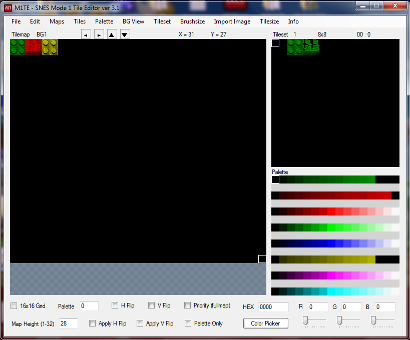
I do plan to work on this in the future. I wrote a tool called M8TE which can import an image to Mode 7 and create mode 7 maps.
IRQ Timers
This is for timing mid screen events. You should try to use HDMA instead. If all 8 HDMA channels are being used, you could do a 9th thing with IRQ timers.
You need to enable IRQ timers (probably just the V timer). and CLI to enable IRQs on the CPU. And you need to add code to the IRQ handler. Once set, the counter will trigger an IRQ signal once the PPU reaches a specific scanline. H counter would fire an IRQ signal every scanline, and you probably don’t want that.
Enhancement Chips
Another thing that is a bit over my head. The SA-1 chip is just a much faster 65816 chip, and that might be the easiest to use.
enemy AI functions (probably wouldn’t be useful to you)
.
The cool chip is the SuperFX chip (GSU). That’s what StarFox used. It would be nice if I could figure it out, and explain it. But, I can not.
Other Modes
Hi resolution. Modes 5 and 6 are double horizontal resolution. They can also, optionally, do an interlaced mode which doubles vertical resolution. Very few games used hi resolution.
Offset per tile Modes 2 and 4. I need to investigate these a bit more. I don’t want to put incorrect information here.
SRAM
For LoROM, SRAM is mapped to banks $70–$7D in the $0000-$7FFF addresses. And also in the $FE-$FF banks in the $0000-$7FFF addresses. (7e and 7f banks are the WRAM, so that couldn’t be used for SRAM). That gives a total possible 512kB SRAM (battery backed save RAM).
You will also need to indicate in the header that the ROM is using SRAM. I think that’s mapped to $FFD7, but it’s this line in the header.asm file
.byte $00 ; backup RAM size
The value is (2^# in kB). 3 is 8kB, 4 is 16kB, 5 is 32kB, 6 is 64kB, 7 is 128 kB, 8 is 256kB, and 9 is 512kB. 0 means 0kB.
Oh, and the previous line, mapped to $FFD6, should have the d1 bit (0000 0010) set. To indicate a battery for the SRAM.
Once you have correctly set this, the emulator should automatically be creating SRAM save files, that persist after power off. You can freely read and write to this anytime, and you can save your game by keeping the progress stored in the SRAM.
What is color math? If you’ve ever worked with Photoshop, it would be like blending 2 different layers with the settings on Add or Subtract. In this case the layers are the MAIN screen and the SUB screen. Everything we have done so far deals with the MAIN screen. So let me try to explain the SUB screen.
All that stuff that the SNES does to produce a picture, putting layers on top of each other, tile priorities, sprite priorities, etc… it does all that TWICE. If you set the settings for the MAIN screen exactly the same as the settings for the SUB screen, it would produce the exact same picture TWICE… with 1 difference. The main screen uses color index zero as the backdrop color (any pixel that is transparent), and the sub screen uses the “fixed color” as the backdrop color (register $2132).
You would never see the SUB screen, unless you turned on the color math registers, which would then blend the 2 pictures together, using either addition or subtraction. And then there is an optional halving step after that. Each pixel on the screen, the R values are added or subtracted, and the G value, then the B value. That value is clamped to the max and min without overflow. (each RBG value is 0-31)
Let’s say we have it set to ADD. And the main screen pixel is gray 15,15,15, and the sub screen pixel is dark red 10,0,0. The final pixel would be 25,15,15.
If we added the HALF option, each value would shift right once (rounding down), giving a final pixel of 12,7,7.
If we set the color math to SUBTRACT (no halving), the final pixel would be 5,15,15. The RGB values of the sub screen are subtracted from the RBG values on the main screen.
If we added the HALF option, each value would shift right once (rounding down), giving a final pixel of 2,7,7.
Note, any pixel in the sub screen that is transparent will not be halved.
The main use for Color Math is for transparency effects. You will want Adding and Halving. That would equally blend the main and sub screen.
The least useful setting is the subtract and halving. That would just produce a very dark picture, and almost no games used this.
.
There is a completely different kind of color math operation, that uses ONLY the fixed color. That color is applied to the entire MAIN screen, and if halving is set, it will work for the whole screen. If you set the fixed color register to green, and had the color math set to ADD, it would add a green tint to the screen.
The fixed color register $2132 is weird. The wiki example suggest writing each color separately to it (3 writes for R,B, and G). However, you could set them all to a specific value with 1 write. Such as LDA #$E0, STA $2132 would set all fixed colors to zero.
Before we dive into the code, here’s a video. You can probably skip most of this video, which goes into too many details about how the 2 different screens are generated.
Example ROM
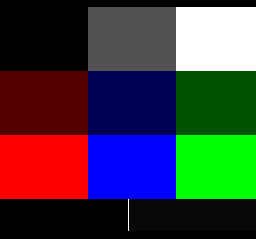
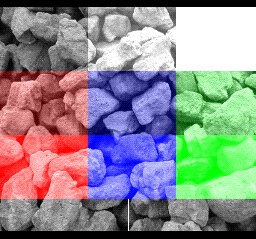
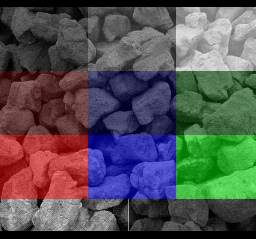
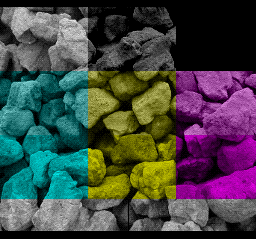
I put BG1 on the main screen (gray rocks) and BG2 on the sub screen (color bars).
No effect. Color Math disabled.
Just the Sub screen. (seen by setting the “clipping always to black” bits in the color math logic, and adding the sub screen).
Note, the top left is black (non-zero index). The bottom left is zero index (transparent). The sub screen will show the “fixed color” (register 2132) where there is transparent. Right now the fixed color is black. Color halving will not work for a transparent pixel on the sub screen. If you notice, the bottom left square will not change at all for these examples, even when halving is indicated.
Color Math Adding.
Color Math Adding and Halving.
Color Math Subtracting.
Color Math Subtracting and Halving.
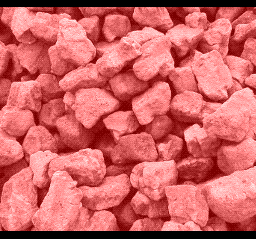
Fixed color only (red at 50%), Color Math Adding.
Example Code
$2130
ccmm--sd
cc = main screen black if... *
--mm---- = prevent color math if... *
------0- = fixed color
------1- = sub screen
d is for an unrelated thing
* 00 => Never
01 => Outside Color Window only
10 => Inside Color Window only
11 => Always
$2131
shbo4321
0------- add
1------- subtract
-0------ normal
-1------ result is halved
b = backdrop, o = sprites, 4321 = layers enabled for color math
$2132 (fixed color)
bgrccccc
b/g/r = Which color plane(s) to set the intensity for.
ccccc = Color intensity.
So let’s go over each examples.
1- no effect, turn off color math
lda #$30 ; = off
sta CGWSEL ; $2130
;and make sure fixed color is black
lda #$e0 ; RGB, value = 0
sta COLDATA ; $2132
2- adding
lda #$02 ; color math with subscreen
sta CGWSEL ; $2130
;adding, not half, affect all layers
lda #$3f
sta CGADSUB ; $2131
3- adding and half, same as last one, just add one bit to the 2131 write
;adding, half, affect all layers
lda #$7f
sta CGADSUB ; $2131
4- subtracting
lda #$02 ; color math with subscreen
sta CGWSEL ; $2130
;subtracting, not half, affect all layers
lda #$bf
sta CGADSUB ; $2131
5- subtracting and half. Same as last one, but add one bit to the 2131 write
;subtract, half, affect all layers
lda #$ff
sta CGADSUB ; $2131
6- fixed color only
;turn on color math, fixed color mode
lda #$00
sta CGWSEL ; $2130
;adding, not half, affect all layers
lda #$3f
sta CGADSUB ; $2131
;set the fixed color to red 50%
lda #$2f ;red at 50%
sta COLDATA ; $2132
We could have also set half mode.
7- see just the sub screen. We did this by setting the “always clip main screen to black” bits in 2130, and then adding the sub screen to the now completely black main screen.
lda #$c2 ;= clip main always to black
sta CGWSEL ; $2130
;adding, not half, affect all layers
lda #$3f
sta CGADSUB ; $2131
Other examples
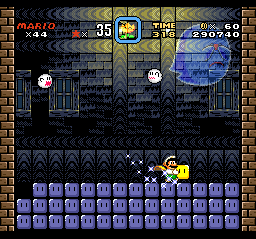
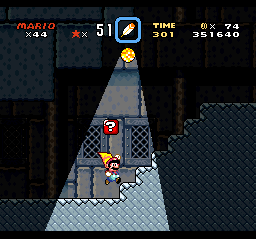
Color math only affects some sprites. Only sprites that use palettes 4-7 are affected by color math. That is why Mario (and the little ghosts) are solid.
Windowing can affect where the color math applies. With HDMA adjusting the window, you can make some cool effects.
Tint the whole screen (adding a fixed color)… actually, upon further investigation, this is subtracting, which makes the screen slightly darker than the original. Also, the COLOR MATH is not in fixed color mode, it’s in subscreen mode, but NOTHING is enabled on the subscreen, so the subscreen is filled with the backdrop color (which for the sub screen is the fixed color). I guess that works too.
Smooth Transparencies (add and halving). This is the most common transparency effect on the SNES.
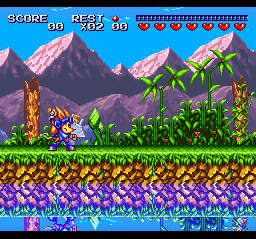
Sparkster, the water.
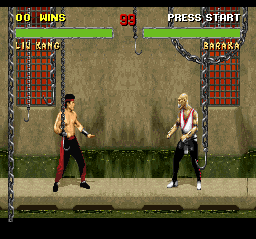
And creating shadows (subtracting) Mortal Kombat II. It’s hard to tell, but their shadows are created by color math subtraction. You could also give the appearance of clouds moving overhead by subtracting a cloud shape and having it scroll.
HDMA is a way to write to PPU registers while the screen is drawing. You can change values at specific scanlines, to create unique effects.
The H is for H-Blank. Remember before, when we talked about V-blank (vertical blank), where the PPU isn’t doing anything for a short while after drawing each screen? Well, it also pauses a VERY SHORT time after drawing each horizontal line. Just long enough for the 8 HDMA channels to quickly change a register or send data, before the screen goes to write the next line.
They work in order, 1,2,3,4,5,6,7,8. They can all write 1 thing (1,2 or 4 bytes) per line. Or you can set them to wait a specific number of lines before changing a value.
HDMA uses the same registers as the DMA registers, and you shouldn’t use both at the same time. You should write zero to HDMA enable ($420c) before performing a DMA. Because the oldest revision of the SNES has a bug where it can crash if they both happen at the same time. Or, just make sure they aren’t used at the same time.
Here’s an interesting video on DMA and HDMA.
Examples
Here’s some things you can do with HDMA.
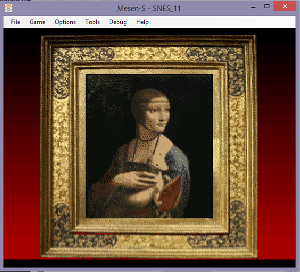
Changing the BG color with HDMA, to create a color gradient.
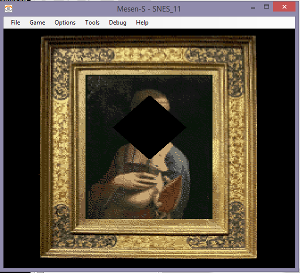
Changing the Window (there are 2 windows) with HDMA, to block off portions of the screen. The windows have left and right registers, which need to be written every scanline to create these shapes.
Mode 7 parameters. (lots of registers to change hundreds of times a frame).
4301 – the PPU destination register. 21xx. So if you write $22 here, the HDMA will write to the $2122, the CGRAM Data Register.
4302-4 – the address of the HDMA table. 2=low, 3=middle, 4=upper/bank #.
4307 – if using Indirect HDMA, this is the bank # of the Indirect Addresses.
Anything marked “no”, don’t touch them. They are used by the HDMA hardware.
Then you write the channel (bitfield, each bit represents a channel, 1 for ch0, 2 for ch1, 4 for ch2, 8 for ch3, etc) to $420c, the HDMA enable register. Presumably, you would do this step during v-blank or during forced blank. I think it will misbehave for 1 frame if you turn HDMA on mid-frame.
.
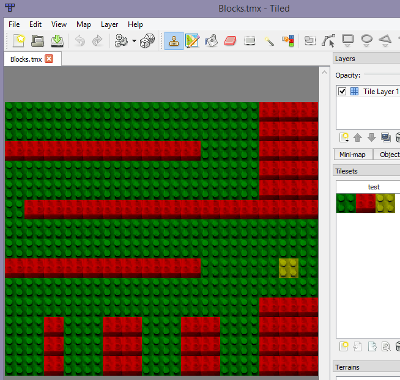
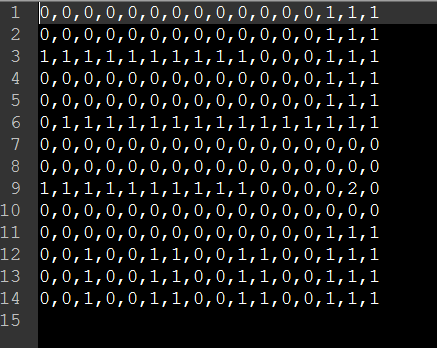
OK, so we are pointing the HDMA registers to a table (byte array). For a direct mode, the table would be a scanline count, then (depending on the TTT mode) 1,2, or 4 bytes to be written. Then another scanline count, then more bytes. Scanline count, bytes. Scanline count, bytes. Etc, until it sees a zero in the scanline count slot. From my own examples…
That reads 32 lines, value $0f. 32 lines, value $1f. 32 lines… etc down to the terminating 0. One interesting thing is that the $0f is written immediately at the very top of the screen. THEN it waits 32 lines.
Here’s another example, when the transfer mode is “1 register write twice”.
10 is the scanline count. Then 2 bytes to write. Then 10 scanline count. Then 2 bytes. Etc.
Indirect Mode
43×0 register, we can set it to Indirect. Only with indirect do you need to write to 43×7, the bank of the indirect address. The table will always be sets of 3s. First the scanline count, then an indirect address (ie. pointer) to where our data is. I wrote the HDMA table like this…
The .addr directive outputs a 16 bit value, low byte then high byte. I think you could have also used the .word directive. So, 8 is the scanline count, then an indirect address. Our bank byte is $7e, so the first one points to WRAM $7e1000. The second one points to $7e1002. Etc.
One of the advantages of the indirect system is that you can have a repeated pattern that changes.
I had copied the Indirect Table to $7e1000. It looks like this.
All of these are values to be written with HDMA to a PPU register. In this case, a horizontal scroll register, which is write twice (low then high bytes).
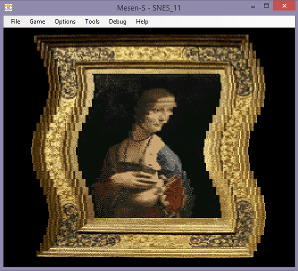
This is example 3. I am also shuffling these values every 4 frames, which causes the movement of the the sine wave.
Example Code
No effect. HDMA is turned off by writing zero to $420c.
.
.
Example 1. Changing the BG color.
I’m actually setting up 2 separate HDMA transfers. First to set the CG address to zero. Second to write 2 bytes to change the #0 color. You have to rewrite the address each time, because it auto-increments when writing a color.
stz $4300 ;1 register, write once
lda #$21 ; CGRAM Address
sta $4301 ;destination
ldx #.loword(H_TABLE1)
stx $4302 ;address
lda #^H_TABLE1
sta $4304 ;address
lda #2
sta $4310 ;1 register, write twice
lda #$22 ; CGRAM DATA
sta $4311 ;destination
ldx #.loword(H_TABLE2)
stx $4312 ;address
lda #^H_TABLE2
sta $4314 ;address
lda #3 ;channels 1 and 2
sta HDMAEN ;$420c
And we have 2 HDMA tables (see the example code). Each time we are waiting 10 scanlines between changes. Each time, adding a little more red.
.
.
Example 2. Changing window 1 left and right positions.
A window punches a hole in one or more layer. There are 2 windows, but we only need 1 for this example. The only parameters you can set are left and right (and inverse, and combinations with the other window). But with HDMA, you can adjust the window parameters as the screen draws, and draw a shape. Circle shapes are very popular.
If the left position is > than the right position, the window will not appear. That is what we are doing for the top and the bottom of the screen. You also have to tell it which layers are affected with the $212e (window for main screen) and with the $2123-5 registers.
I’m using 2 HDMA channels, and writing 1 byte to 1 register. To 2126 and 2127.
lda #1 ;windows active on layer 1 on main screen
sta TMW ;$212e
lda #2 ;window 1 active on layer 1
sta W12SEL ;$2123
stz $4300 ;1 register, write once
lda #$26 ;2126 WH0
sta $4301 ;destination
ldx #.loword(H_TABLE3)
stx $4302 ;address
lda #^H_TABLE3
sta $4304 ;address
stz $4310 ;1 register, write once
lda #$27 ;2127 WH1
sta $4311 ;destination
ldx #.loword(H_TABLE4)
stx $4312 ;address
lda #^H_TABLE4
sta $4314 ;address
lda #3 ;channels 1 and 2
sta HDMAEN ;$420c
(This could have been done with 1 channel with a 2 register transfer mode).
Note… If the scanline count is >128 (not including 128), it signals a series of single scanline writes. You can omit the scanline count for a number of lines (ie. subtract 128 from the scanline count number).
.byte 60, $ff ;first we wait 60 scanlines
.byte $c0 ;192-128 = 64 lines of single entries
.byte $7f ;1st write value
.byte $7e ;2nd write value
.byte $7d ;3rd write value
.byte $7c ;4th write value
...etc...64 lines.
.byte 0 ;end
It waits 1 scanline between each write.
Each line, I am moving the left position and right position further apart, and then closer together, which forms a diamond shape.
.
.
Example 3. Changing BG1 horizontal scrolling position.
This was already discussed above, in the Indirect Mode section. We are using a sine wave pattern to create a wave in the picture, writing twice to 1 register, the horizontal scroll of BG1.
I wanted to include at least 1 example of indirect mode. I copied the value table to the RAM, so I was able to change the values to make the pattern move. See the Shuffle_f3 function in the HMDA3.asm file. The table of Indirect Addresses points to the RAM where our actual values are stored.
This example would have been even nicer if we wrote new values every scanline. Currently, we are only changing values every 8 scanlines (to make the table simpler / smaller). Maybe even every 2 scanlines would have been enough.
lda #$42 ;indirect mode = the 0100 0000 bit ($40)
sta $4300 ;1 register, write twice
lda #$0d ;BG1HOFS horizontal scroll bg1
sta $4301 ;destination
ldx #.loword(H_TABLE5)
stx $4302 ;address
lda #^H_TABLE5
sta $4304 ;address
lda #$7e
sta $4307 ;indirect address bank
lda #1 ;channel 1
sta HDMAEN ;$420c
.
.
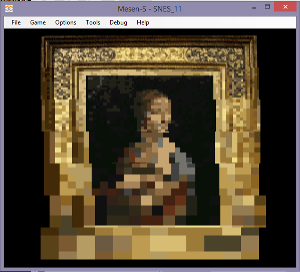
Example 4. Changing the Mosaic filter.
This is the simplest example. A single write to a single register. I haven’t discussed the Mosaic filter before, $2106 . The upper nibble is the mosaic amount (0 = normal, 1 = 2×2, etc up to $f = 16×16), and the lower nibble says which layers are affected. Sprites are never affected.
stz $4300 ;1 register, write once
lda #$06 ;mosaic
sta $4301 ;destination
ldx #.loword(H_TABLE6)
stx $4302 ;address
lda #^H_TABLE6
sta $4304 ;address
lda #1 ;channel 1
sta HDMAEN ;$420c
It waits 32 lines before increasing the mosaic value. There are bigger squares at the bottom. You probably wouldn’t use this exact HDMA effect in a game, but it is just an example of what is possible. You can change so many settings, even the BG mode $2105, which layers are active, change the location of a tilemap or tileset. I think you can even write new data to the VRAM (a little bit at a time).
.
.
Example 5. Windows with Color Math.
(the next example page will talk more about Color Math registers)
Some of the coolest effects were done with this combination. We are adding a fixed color to tint the picture, and using the windows to shape the color box. If we made the HDMA table for the window more elaborate, it could be a circle, or any simple shape. We could change the table and make it grow or squish. The windows work the same as before, but we just needed to change the settings so that the window affects color math and nothing else.
lda #$20 ;Window 1 active for color, not inverted
sta $2125 ;WOBJSEL - window mask for obj and color
lda #$10 ;prevent outside color window, clip never,
;add fixed color (not subscreen)
sta $2130 ;CGWSEL - color addition select
lda #$3f ;color math on all things, add, not half
sta $2131 ;CGADSUB - color math designation
We are setting the color math to use only the fixed color, and not the subscreen. So, we need to set the color of the fixed color register $2132.
lda #$8f ;blue at 50%
sta $2132 ;COLDATA set the fixed color
This register (fixed color) is a bit complicated, I will explain it more on the next page, but the upper bits are the color selectors, and the lower 5 bits are for value. 8 is blue and $0f is for 15 (out of 31), or just above 50%. With color math addition (with the fixed color) turned on, it would color the entire screen blue. But, our HMDA window blocks out the effect for the top, sides, and bottom of the screen, leaving a blue box in the size/shape of the painting.
.
.
Here’s a YouTube video of these examples (video is old, doesn’t include the 5th effect)
.
IMPORTANT NOTE – the top most scanline is never drawn. It’s blank. At the end of that 0th scanline, it sends the first value of the HDMA tables, and then it sets the scanline count. The HDMA table looks like the scanline count is before the value to send, but it does it the opposite… it sends the value and then it waits. That means that the first value effects the very top of the visible screen.
The HDMA table resets at the end of v-blank. Automatically. Even if it didn’t complete the table because it was longer than the number of scanlines on screen, it jumps back to the 0th item on the HDMA table, and continues the next frame from the top of the table.
Also, a count of zero terminates the HMDA for the rest of the frame, but it still resets again, at the top of the next frame, and keeps going. If there is a value listed after the zero, it isn’t sent.
This is a lesson on using SNESGSS to make SNES music.
Before you read this… I have made improvements to SNESGSS, the newest version has a Q at the end, and it has a different music.asm file. See this link for more info.
NOTE – If SNESGSS editor stops playing the music correctly (silences some or all the notes), the issue is that there is too many things loaded to fit in the ARAM. This could happen unexpectedly, because adding to the song editor might overflow the available RAM, without warning. Click over to INFO and it will probably say there is no memory left. You will have to shorten the song or remove unused samples.
Here’s an interesting video on the SPC700 and SNES audio.
Today, we are going to talk about SNES music. The APU (Sony SPC700) is a different chip entirely, and has its own 64k of RAM. At the beginning of our program, we need to load the APU with our SPC file. It is an audio program that runs automatically.
The APU is connected to an 8 channel DSP (digital sound processor). The song will direct the DSP to play different sound samples at different rates to make tones. If you are familiar with MIDI, it is similar. The samples can be looped or not. The samples are compressed into a native compression called BRR (bit rate reduction).
BRR samples are very large, and you will probably be only able to fit 10-15 samples. Each will have to be edited (perhaps with Audacity) to less than a second each, and at a reduced sample rate. We are going to work with SNESGSS (written by Shiru).
I originally found it here (you might want to look here to get the sample intruments), but don’t use this .exe because it has a bug.
and also grab the music.asm file. You will need it.
.
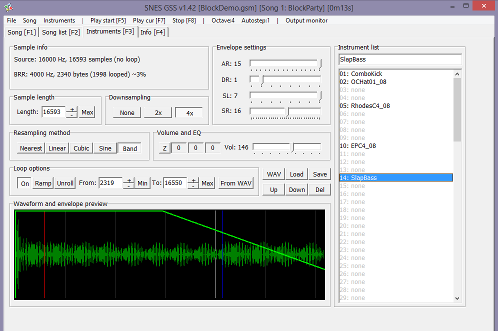
SNESGSS prefers to have 16-bit MONO WAV samples at sample rate 32000 or 16000. I have tried 8000, but usually the sound quality is too bad at 8000. 8000 might be ok for a bass sample.
There seems to be a bug in Audacity, when you resample to another rate (Tracks/Resample), it doesn’t actually change the project sample rate, nor will it save the project at that sample rate. What you need to do is Open the WAV file in Audacity, Select All and COPY it. Then Open a NEW PROJECT, and change the project’s sample rate (at the bottom left) to 16000. Then PASTE it. Now it will save at the correct sample rate.
Recording at the desired rate has no problems. 16000 seems to be a nice sweet spot on audio quality and file size.
SNESGSS also suggests tuning the samples to B +21 cents. I did not. I left all my samples at C. They are not in tune with the samples provided with SNESGSS, which I did not use. I think those are tuned to B +21. The reason behind the unusual tuning is to make it easier to make looped samples without clicks. BRR format is forced to be blocks of 16 samples, so a multiple of 16 samples (such as 256 samples per wave cycle) at a sample rate of 32000 (or 16000) samples per second works out to B +21.
But, feel free to use whatever tuning is easiest for you.
Hit the WAV button near the middle of the screen to load your samples. Setting the envelopes similar to this sounds good to me (15, 1, 7, 16). If you managed to loop the sample perfectly, you may prefer to leave the last envelope setting (SR) at 0, for a tone that can continue infinitely.
You can press the 2x or 4x buttons if you run out of room for files, to downsample by half.
To loop, click the “On” button and type in the loop start (FROM) and loop end (TO) numbers. Note – BRR sample length needs to be a multiple of 16, and the loop start and end points need to be a multiple of 16. SNESGSS doesn’t tell you that… you will probably have to use a calculator to calculate a multiple of 16 and type exact numbers in.
I wouldn’t mess with the volume or EQ settings. That is something you should have done in Audacity while editing. Just keep in mind that the SNES tends to weaken the upper range and make bright sounds feel dull. You might have to do a treble boost for the lead instruments.
This tracker will convert our samples to BRR, but not until your final export. Unfortunately, you can’t import BRR samples to it from other sources. And you can’t export BRR samples, although you could export an SPC and use spc_decoder.exe from BRRtools to extract the BRR samples from the SPC.
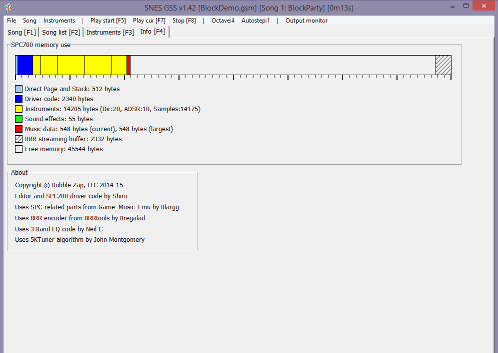
Here you can check the size of all the files. Obviously, you can’t have a bigger SPC file than 64k, the size of the APU RAM.
I should note, that we only load 1 song in the APU RAM at a time. Staring a new song will load a new song (over the previous song), so that only one song is loaded at any time. That should give you a little flexibility on overall size.
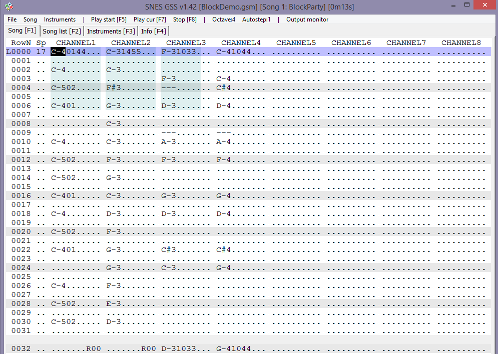
Here is the main editor. You type Z-M keys for lower octave, Q-P keys for upper octave. You can change the octave by pressing the octave button. So, this is a standard tracker, it goes downward as the song plays.
You can toggle channels on and off by clicking on the word “channel 1”, etc. You can divide things into sections. Press the spacebar to mark the end of a section. Then you can repeat the previous section with an R00 command.
The order of things is Note, Instrument, Volume 0-99, and Special effects. The SP column is for song speed (smaller is faster). You can scroll up and down with PgUp and PgDn keys, and also Home and End goes to the next section.
CTRL+End marks the end of the song, and CTRL+Home marks the loop back point.
You can import Famitracker and MIDI files (notes only), but I haven’t tried.
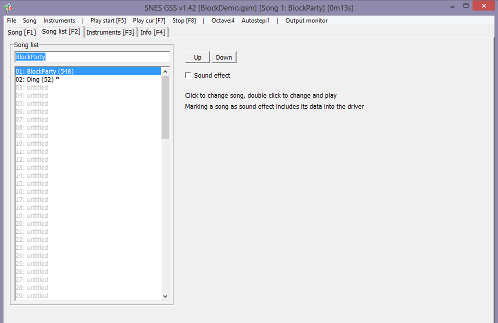
On this page, you can mark a song as a “Sound effect”.
Once the songs are done, you File/Export. And that will produce several files.
spc700.bin is our main SPC file. It holds the program and the samples and the sound effects data.
music_1.bin (one file per song) is the song data.
sounds.asm and sounds.h we don’t need. Don’t include them. This was for a different assembler / C compiler. You might want to look at it to find the value of each sound effect.
.define SFX_DING 0
…tells us that the DING sound effect is called with the value zero.
I changed the asm code in mid 2021, make sure you have the latest music.asm so it can handle SPC files larger than 32k. Here’s how we can include the file accross 2 different LoROM banks.
(ca65/ld65 linker specific commands).
If the SPC file is larger than 32k, you can add arguments to the .incbin command to split the file.
.incbin “MUSIC/spc700.bin”, 0, 32768
and
.incbin “MUSIC/spc700.bin”, 32768
The top one says copy 32768 bytes starting at 0. The second one (with 1 number) says to include from 32768 to the end of the file. The newest version of SPC_Init can copy the entire thing to the SPC RAM (even across multiple banks).
.
CODE
Let’s go over the music.asm file, which you should have grabbed from one of my example folders. I had to modify the original code to work with ca65.
SPC_Init – should be called at the start of the game, with interrupts off (NMI, IRQ, controllers). With AXY16 you load A with the address of the of SPC file (spc700.bin) and X with the bank of the SPC file, and JSL to SPC_Init.
By the way, running this function takes a long time. It could take 2 seconds or more.
SPC_Load_Data is an internal function, for loading data to the APU RAM.
SPC_Play_Song loads a song (data) to the APU RAM and then starts playing it. This also should be done with interrupts off. Note that this system only loads one song at a time to the APU RAM. If you have a song in and then load another song, it overwrites the first song.
With AXY16 load A with the address of the song data (like music_1.bin) and load X with the bank of the song, then JSL to SPC_Play_Song. Once it’s done, it will begin playing the song automatically.
SPC_Command_ASM is an internal function. It’s what sends signals to the APU.
SPC_Stereo is to set mono (default) or stereo audio. Load A (8 or 16) with 0 for mono, 1 for stereo. Audio channels can be panned left or right.
SPC_Global_Volume is to set the max volume, 0-127. It can also be used to fade in or fade out. One of the variables is called speed, and it is the step value, to go from previous volume to the new volume. 255 is the default speed, which is instant change (any value >= 127 would be instant). Speed of 7 seems nice for a fade, and will take 2 seconds to transition. Don’t give it a speed of zero, the volume won’t change.
AXY8 or AXY16, load A with the speed of volume change (1-255), and load X with the new volume (0-127), then JSL SPC_Global_Volume.
The SNES has a master volume variable, which affects all channels. That’s what this sets, and doesn’t affect individual channel volumes.
SPC_Channel_Volume sets the max volume for an individual audio channel. AXY8 or AXY16, load A with the channels and load X with the volume (0-127) and the JSL to SPC_Channel_Volume. I’m not sure what circumstances I would use this. Maybe to silence or dim a lead instrument, for a change in dramatic tone.
Note, the channel here is a bitfield, with each bit representing a channel.
For example, LDA #$42 (0100 0010) would effect channels 2 and 7.
Music_Stop stops the song. JSL here.
Music_Pause will pause and unpause the song (and not effect the sound effects that are playing). Load A (8 or 16) with 1 for pause and 0 for unpause, then JSL here.
Sound_Stop_All stops all sounds, song and sound effects. JSL here.
SFX_Play_Center plays a sound effect, pan center. With AXY8 or AXY16, load A with the # of the sound effect, load X with the max volume of the sound effect (0-127), and load Y with the channel (0-7), the sound effect should play. Channel needs to be higher than the max channel for the song playing. Therefore, you must reserve some empty channels in the song, if you want sound effects to play with it.
SFX_Play_Left, is the same, but pan left.
SFX_Play_Right, is the same, but pan right.
SFX_Play is an internal function that the 3 above functions call.
Streaming has been removed. See the 13th SNES example page for echo functions.
;copy the music code and samples to the Audio RAM
AXY16
lda #.loword(music_code)
ldx #^music_code
jsl SPC_Init
;turn on stereo sound
AXY16
lda #$0001
jsl SPC_Stereo
By the way “.loword()” gets a 16 bit value from a 24 bit label. ^ gets the bank of a label.
.
Now I just need to set up a trigger for the sound effect. We already have that yellow block triggering the screen to go dark, so I just snuck in a little more code there. I didn’t want it re-starting the same sound effect over and over and over each frame, so I added a variable to remember the LAST FRAME, if we were over the yellow block, and skip a trigger in that case.
cmp bright_var2 ;compare to last frame
beq Past_Yellow ;skip if last frame is true
AXY8
lda #0 ;= ding
ldx #127 ;= volume
ldy #6 ; = channel
jsl SFX_Play_Center
Our song plays from channels 1-4 (ie. 0-3), and our sound effect uses 2 channels, so we could have set this to 4,5, or 6. This function is zero based index, ie. values 0-7. So 6 means it will play on channels 7 and 8. Sorry for flip flopping between zero based and one based numbers. Hope this isn’t too confusing.
However, if we loaded X with 0,1,2, or 3. It would not play. If we loaded X with 7, only the first channel of the sound effect would play.
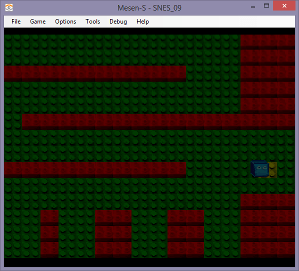
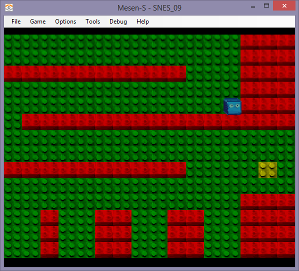
Here’s a picture of the demo again. It looks the same as the previous example.
There are other programs for getting music onto a Super Nintendo.
You could use SNESMOD with OpenMPT. I still need to research this more before I can recommend it. I have heard that a version of SNESMOD by AugustusBlackheart and KungFuFurby is good. Sorry I can’t be more informative here.
Another program, BRRTools, can convert audio files to BRR. I haven’t used it, but the SNESGSS tool uses the same code. It says you can turn BRR samples into WAV and WAV into BRR. This could be a way to use existing BRR samples in our SNESGSS projects (by using this tool to convert them into WAV files first).
Update 2023. After some test, the SNES goes through the decay phase of ADSR much faster than I expected. (much faster than the SNESGSS envelope graph shows). With SL=7, it skips it entirely. SL=6 is still nearly instant. See the results of my own testing.
I made this with SPEZ version 2. Although SPEZ version 3 is out, it has different sprite code (see example in the SPEZ folder).
This time we are going to make a collision map, and make a sprite collide with the background. The actual graphics are not that important.
I took some pictures of some blocks (and a sketch of a cube with eyes) and resized them in GIMP to 16×16 sized blocks. Then I imported everything into my M1TE tool. From there I made a 3 metatiles, green, red, and yellow. Red will be the collision blocks (1 = wall). This is what it looks like in M1TE.
You can save the map screen as a image (File/Export Image). That was then loaded into Tiled Map Editor as the tileset.
Tiled Map Editor is a free game design tool. The entire purpose of this is to export a .csv file of our collision map… which is that collision array I was talking about.
The CSV file exported from Tiled.
I added some .byte directives so it can be loaded as a byte array into the asm code. 0 is blank, 1 is red wall, 2 is the yellow square. Now we can .include it into our ASM file.
But how did I draw the map? Back when I was programming NES games, I had a whole metatile system worked out. I am doing a similar thing here, but I manually typed out each tile needed to construct a block. In metatiles.asm.
And in main, it does a loop, converting each byte of the collision map (HIT_MAP) into 4 screen tiles. And copying them one by one to the VRAM on the map. The key thing is that we again use the HIT_MAP to stop movements of the sprite.
Our code calculates where our guy is on the map, and if we are over a 1, cancel the movement. That makes him collide with the red walls.
How does it do that? Let’s go over the code. So our byte array has each block 16×16. We need to divide x and y pixel coordinates by 16 (the same as shift right 4x). But we also need to multiply the y by 16 to get to the correct row in our array, which cancels out the divide 16. So the algorithm is (Y & 0xf0) + (X >> 4). If we look at that index in the byte array, it will tell us if a point is in a wall or not. This is the code, with X and Y registers holding the X and Y coordinates…
tya
and #$f0
sta temp1
txa
lsr a
lsr a
lsr a
lsr a
ora temp1
tax
lda HIT_MAP, x
rts
I handled each direction separately. First do the X move, then see if any of the corners of our sprite are inside a wall. If yes, revert to previous X position. Then do the Y move, see if any of the corners of our sprite are inside a wall. If yes, revert to previous Y position.
This code would need to be a little more complex if we move more than 1 pixel per frame. If we are moving 2-3 pixels per frame, and the distance to the wall is 1 pixel, we should allow 1 pixel movement toward the wall… and not be stuck 1 pixel away from the wall. So, this code will need to be improved.
.
Touching the yellow square will darken the screen. We are just looking if 1 point (the middle of our guy) is over a 2 in the collision map, and changing the screen brightness variable. Remember that the $2100 register is the screen brightness. I am writing to it every frame, during v-blank. Full brightness is $0f. Half brightness is $07.
If we were scrolling in a larger world, the collision map would have to be the size of the world. You could have it compressed, and decompress it to the WRAM. You would have to keep track of X and Y movements with 2 byte variables. One thing I would not recommend is trying to read from the VRAM to see what kind of tile you are standing over. The visuals of the level should probably be separate from the collision map.
One more thing. It wouldn’t be too much trouble to turn this simple example into a platformer. You would just need to add gravity, which is adding a little bit to the Y speed every frame, and then cancelling that if your feet touch the floor. Jumping would be a sudden negative Y speed.
This is a really cool page that explains collision maps in more detail.
TODO – I need to write some code to automate generating metatile tables, or come up with some other kind of BG object system. Especially for a larger world… hand editing data tables will get very tedious.
I made this with SPEZ version 2. Although SPEZ version 3 is out, it has different sprite code (see example in the SPEZ folder).
So, this isn’t so complicated. I’m using the Example 4 backgrounds, and scrolling them with the controllers. I’m not going to go over the process of making backgrounds again. We will just talk about the scrolling code.
If you press A, B, X, or Y, you will toggle which background is selected. Visible by the sprite in the corner (1,2,3). This is the map_selected variable, which has a value 0-2.
The up/down/left/right functions will do a case switch style check on the map_selected variable. Normally, you would do CMP #1, CMP #2, CMP #3, etc. But you don’t actually need to do a CMP #0. This is something I see new 6502/65816 programmers do. The previous line “lda map_selected” already sets the z flag if map_selected is zero. Lot’s of instructions set the z (zero) and n (negative) flags. LDA, LDX, LDY, TAX, TXA, TXY, PLA, PLX, PLY, etc. If a register is loaded with zero, the z flag is set and BEQ will work.
Right_Handler:
.a16
.i16
php
A8
lda map_selected
bne @1or2
@0: ;BG1
dec bg1_x
bra @end
@1or2:
cmp #1
bne @2
@1: ;BG2
dec bg2_x
bra @end
@2: ;BG3
dec bg3_x
@end:
plp
rts
Let’s follow this for each value. If map_selected is zero, the BNE won’t branch, it goes to the @0, dec bg1_x and then exits. If map_selected is 1, the first BNE will branch to @1or2. A is still loaded with map_selected, we compare it to #1, the BNE won’t branch, so we do @1, dec bg2_x and exit. If map_selected is 2, the first BNE branches to @1or2, cmp #1 is false, so the bne @2 branches us to th @2 dec bg3_x line.
Notice, moving the map right means decreasing the horizontal scroll variable. Moving it left means increasing it. Likewise, moving a screen down is decreasing the vertical scroll, and moving it up is increasing it.
Scrolling registers are write twice (8 bit) each. Always write twice. You can actually write to these registers any time, but we want to do it during v-blank so we don’t get any shearing of the background in the middle for 1 frame. Near the top of the game loop, we have jsr set_scroll. Let’s look at set_scroll.
lda bg1_x
sta BG1HOFS ;$210d
stz BG1HOFS
lda bg1_y
sta BG1VOFS ;$210e
stz BG1VOFS
lda bg2_x
sta BG2HOFS ;$210f
stz BG2HOFS
lda bg2_y
sta BG2VOFS ;$2110
stz BG2VOFS
lda bg3_x
sta BG3HOFS ;$2111
stz BG3HOFS
lda bg3_y
sta BG3VOFS ;$2112
stz BG3VOFS
bg1_x is a 1 byte variable, because our maps are set to 1 screen only (32×32 map and 8×8 tiles). If you made the tilemap bigger (or made the tile size larger), you would need 2 bytes for each scroll variable. With 64×32 our x needs 9 bits. If you also increase tilesize to 16×16 then we need 10 bits.
You can move each layer independently. Usually, you would have BG1 be the foreground and BG2 be the background and BG3 be either the far background or the HUD (scoreboard) always fixed in one place in the front.
I made a simple Pong demo to show sprite collisions.
I made this with SPEZ version 2. Although SPEZ version 3 is out, it has different sprite code (see example in the SPEZ folder).
Well… I was trying to keep it simple, but I decided to use some of the more complicated code I have previously written. Copied to the library.asm file from some of the EasySNES files. OAM_Spr(copies one sprite to the buffer), OAM_Meta_Spr (copies multiple sprites to the buffer), oam_clear (clears the buffer), Map_Offset (gets an address from a specific x/y coordinate in a map). I did change the return from these functions from RTL to RTS, because all of our code is in the same bank.
I will discuss these functions further below.
Check_Collision is new. I will discuss that a bit later.
Let’s talk about the process of making this. I made a circle gradient in GIMP for the background, and converted to indexed 4 color (with dithering). Sized 256×192 (it won’t cover the entire screen).
Saved as a PNG. Imported to M1TE.
Then I drew some numbers for BG3, and filled a little on the top and bottom.
Clicked the priority checkbox for this map.
Saved all the maps and tiles and palette. Pretty much the same as previous examples of loading a background.
Now I opened SPEZ (my sprite editor) and drew some simple box shapes for the ball and paddle. Saved them as metasprites.asm and saved their tiles (chr) and palette.
Everything is .incbin -ed in the main.asm file. We are loading everything just like the previous examples, with DMAs to the VRAM. One difference is that I wrote a macro for DMAs to the VRAM. This made the code a little easier to read and write. Let’s look at an example…
DMA_VRAM $700, Map1, $6000
This is the DMA_VRAM macro definition…
.macro DMA_VRAM length, src_addr, dst_addr
;dst is address in the VRAM
;a should be 8 bit, xy should be 16 bit
ldx #dst_addr
stx $2116 ; vram address
lda #1
sta $4300 ; transfer mode, 2 registers 1 write
; $2118 and $2119 are a pair Low/High
lda #$18 ; $2118
sta $4301 ; destination, vram data
ldx #.loword(src_addr)
stx $4302 ; source
lda #^src_addr
sta $4304 ; bank
ldx #length
stx $4305 ; length
lda #1
sta $420b ; start dma, channel 0
.endmacro
So where it says length, the macro will insert the $700 bytes (not $800, because the screen is only 224 pixels high, so I’m not filling the entire 256 pixel high map). Where it says src_addr, it replaces it with Map1. Where it says dst_addr, it replaces it with VRAM address $6000. All that code could be written in one line.
DMA_VRAM $700, Map1, $6000
Doesn’t this look nicer though? Simple. Elegant. Easy to read. Macros are your friends.
Everything between InfiniteLoop and, somewhere below that, jmp InfiniteLoop is the game loop. Every frame we wait till v-blank. Copy the OAM_BUFFER to the OAM. Print the score to the top of the screen. Read the controllers. Move the paddles if up or down are pressed.
lda pad1
and #KEY_UP
beq @not_up
@up:
A8
lda paddle1_y
cmp #$20 ;max up
beq @not_up ;too far up
bcc @not_up
dec paddle1_y
dec paddle1_y
dec paddle2_y
dec paddle2_y
@not_up:
This code is moving both paddles, because this is just example code. You could modify it, so that controller2 moves the paddle on the right. Copy this whole thing, and replace pad1 with pad2, and only move paddle2. Also change the label names, so you don’t have duplicates.
We are only moving the ball while it is “active”. Press START to make it active, and choose a random direction to go (based on a frame counter).
lda #1
sta ball_active
ball_x_speed and ball_y_speed are the directions of the ball. Either 1 or -1 ($ff). Every frame we are adding the speed variable to the position variable. If speed is 1, we add 1 and it moves it to the right 1 pixel.
If the ball is active, it moves up/down until it reaches the ceiling or floor.
;bounce off ceilings
cmp #$20
bcs @above20
…
lda #1
sta ball_y_speed
;bounce off floor
lda ball_y
cmp #$c7
bcc @ball_done
…
lda #$ff ; -1
sta ball_y_speed
Sprite Collisions
It moves left/right until it reaches the end of the room. But we want it to bounce off the paddles, so we need to check collisions with hitboxes. I wrote this a long time ago (modified slightly). It’s the Check_Collision function in the library.asm file.
So we need the dimensions and location of the 4 sides of both boxes. That’s 8 numbers, that I copy to these variables…
obj1x, obj1w, obj1y, obj1h
obj2x, obj2w, obj2y, obj2h
x = left side of sprite object
w = width (minus 1), added to x to get the right side
y = top side of the sprite object
h = height (minus 1) , added to y to get the bottom side
I defined some of these with constants at the top of main.asm
BALL_SIZE = 7
PADDLE_W = 7
PADDLE_H = 47
Of course, the x and y values are changing. Those are defined as variables in the zero page (direct page).
I copy these to the obj1 obj2 stuff, and then call Check_Collision, which sets the “collision” variable to 0 or 1. If collision is true, we bounce the ball. This collision check is for 8 bit positions only, and assumes that no object goes off the screen at all. The code won’t work right at the very edges of the screen.
Here’s what the collision code is doing, under the hood, in some optimized ASM.
Every frame I DMA the OAM buffer. Then I clear it with Clear_OAM and then rebuild it by writing to either OAM_Spr or OAM_Meta_Spr. The metasprites were made with SPEZ, and exported to the Sprites/metasprites.asm file. It’s a list all the sprites needed to make a metasprite.
The OAM_Meta_Spr function works like this.
Copy the x position to spr_x, the y position to spr_y, and then load A and X with the address of the metasprite data, and call our function. Remember ^ is for bank number. Like this.
lda paddle1_x
sta spr_x
lda paddle1_y
sta spr_y
A16
lda #.loword(Meta_00) ;left paddle
ldx #^Meta_00
jsr OAM_Meta_Spr
And this will automatically put all the data in the OAM_BUFFER at the correct x and y positions. It also adjusts the high table bit shifting and keeps track of exactly how many sprites have been added (sprid).
*spr_x is 9 bits (uses 2 bytes). If the sprite never leaves the screen, just leave the upper byte of spr_x as zero. If you pass it more than 9 bits, it will ignore the extra bits.
The ball uses another function, OAM_Spr. This is for putting 1 sprite in the OAM BUFFER. You have to provide all the details of the sprite. Pass the x position to spr_x, the y position to spr_y, the tile # to spr_c, the attributes to spr_a, and set the size with spr_sz. spr_sz needs to be either 0 (small) or 2 (large). Then jsr OAM_Spr.
lda ball_x
sta spr_x
lda ball_y
sta spr_y
lda #2
sta spr_c
lda #SPR_PAL_5|SPR_PRIOR_2
sta spr_a
stz spr_sz ;8×8
jsr OAM_Spr
If you are placing multiple balls on screen, all using the same palette, then you would only need to change the spr_x and spr_y before calling OAM_Spr again.
Writing to the background
The print_score function always runs during v-blank. It has to, because it is writing to the VRAM. That is why we do it as soon as possible after the jsr Wait_NMI.
I’m using this Map_Offset function (in library.asm) to get the VRAM address of the numbers in at the top of the screen. It wants you to load X with the tile’s x position 0-31 and load Y with the tile’s y position 0-31. If you only have pixel X and Y, just shift right (lsr a) 3 times to get the 0-255 value to 0-31 (tile) for 8×8 tiles.
Map_Offset does some bit shifting to convert that to a VRAM address. It returns A16 = the offset. You add that to the base address (our BG3 map is at $7000).
and then copying 2 values per number on screen (by writing to $2118-$2119). We are writing with the VRAM increment set to +32. That means that the second write will go below the first one.
lda #V_INC_32
sta VMAIN ;$2115
Some of these values might be hard to understand, like, why are we adding $10 to the points_L? Our tiles for numbers begins at $10.
Try the demo. Press START to get it going.
.
Try to make this into a game by having controller 2 to move the right paddle.
The ball is a bit slow, though. Moving 2 pixels per frame might be too fast. It would be best to use “fixed point” math, that’s a 16-bit variable for ball speed and position, where the upper byte refers to a pixel position, and the lower byte is a sub-pixel position (and speed). Then we could have 1 1/2 pixel per frame movement.
I wish we had some sound effects too. Maybe a little later for that.
Warning – this was made with SPEZ, version 2. Version 3’s default metasprite data breaks the code used in the example because it has 2 extra bytes for flipping the metasprite horizontally and/or vertically. If you use version 3 with the code below, you need to uncheck ‘flip data’. Or, you could use the metasprite code provided with SPEZ v3 in the ‘example’ folder. Or, a third option, you can still download version 2 of SPEZ.
There is a set of registers that can be read like NES registers. Originally, they wanted to make it easy to transition from programming NES games to programming SNES games. They even used the same number $4016 and $4017 (ports 1 and 2). However, you shouldn’t read these. Instead you should turn on the auto-read feature (and also the NMI enable) from register $4200.
With auto-controller reads set, the CPU be interrupted (soon after the end of each frame) and automatically read all the buttons from both controllers and then store the values at $4218-$421b.
$4218-19 port 1
$421a-1b port 2
(if a multitap for 4 player games installed, 421c-d and 421e-f for controllers 3+4)
And I use these constants as a bit mask (bitwise AND operation) to isolate the buttons.
The pad_poll function also does some bit twiddling to figure out which buttons have just been pressed this frame.
pad1 and pad2 variables tell you which buttons are being pressed. pad1_new and pad2_new tell you which buttons have just been newly pressed this frame.
We need call pad_poll each frame. How do we know that a new frame has started? That’s where the NMI comes in.
NMI
When the screen is on, the PPU spends most of its time drawing pixels to the screen, one horizontal line at a time, one pixel at a time. Starting at the top, it goes left to right and draw a line. Then it jumps down and draws the next line. Etc, etc, until the frame is completed.
While it is drawing pixels to the screen, the PPU is busy, you can’t send new data to the VRAM. You can’t send new data to the OAM or the CGRAM (palette) either. After the screen is done drawing, the PPU rests in a vertical blank period for a little bit. During this v-blank period, you CAN access the PPU registers.
If you turn on NMI interrupts, when the PPU is done drawing to the screen… nearly at the very beginning of v-blank, the PPU sends an NMI signal to the CPU. This happens every frame, which is 60 times a second (50 in Europe). That signal causes the CPU to pause and jump to the NMI vector (an address it finds at $00ffea in the ROM). We have it set to jump to the label called NMI: which is located in the init.asm file. (note, the NMI code needs to be in the 00 bank).
The NMI code is just this.
bit $4210 *
inc in_nmi
rti
* ; it is required to read this register during NMI
(many game have much more elaborate NMI code than this)
Our main code is waiting for the in_nmi variable to change. When it changes we know that we are in the v-blank period. Now is a good time to write to PPU registers or send data to the VRAM. But, also, we are using this to time our game loop.
wait_nmi: waits until we are in v-blank. We call this at the top of the game loop. Notice that I put a WAI (wait for interrupt) instruction here. If you neglected to turn NMI interrupts on, this would crash the game, as it waits forever for a signal that never comes. IRQ interrupts could also trip the WAI instruction, which is why I also wait for the in_nmi variable to change to be sure. You could delete the WAI instruction, if you would like*. Some games use this waiting loop to spin a random number generator. You could do that as well…. like adding a large prime number over and over, or just ticking a variable +1 over and over.
* someone told me that WAI could make an emulator run less laggy, as it would have less to do each frame. It also saves electricity, because the CPU uses less while it waits. You decide if you need it or not.
Soon after the wait_nmi function runs, we run our DMA to the OAM (copy our sprite buffer to the sprite RAM). This needs to be done during v-blank, which is why we do it first. Then, we run our pad_poll to read new button presses. Then we enter the game logic. Here’s an example of what we are doing to move the sprite.
Our sprite is composed of 3 sprites that move together (16×16 each). Each time we press the right button, we need to increase the X value of each sprite. Left, we decrease the X values. Each sprite uses 4 bytes, so each sprite X value is 4 bytes apart. So we do this…
AXY16
lda pad1
and #KEY_LEFT
beq @not_left
@left:
A8
dec OAM_BUFFER ;decrease the X values
dec OAM_BUFFER+4
dec OAM_BUFFER+8
A16
@not_left:
LDA loads the A register with pad1, which has all the button presses for controller 1. We apply a bit mask (AND) to isolate the left button. If it is zero, the button isn’t being pressed, and it will branch (BEQ) over our code. Otherwise, it will then to the dec OAM_BUFFER lines. Dec can be 8 bit or 16 bit, depending on the size of the A register. We want 8 bit, so we A8 for that. We need the A16, to make sure we exit this bit of code with A always in 16 bit mode.
We repeat that process 3 more times for RIGHT, UP, and DOWN buttons. You see, our character moves around the screen. This code isn’t very good, though. We aren’t handling that 9th X bit.
With this code, you can move smoothly off the top and bottom of the screen, like this…
But if you try to move left off screen, it suddenly disappears. Like this below…
That’s why we need that 9th X bit in the high table. Here’s what it looks like at X=248, with the 9th bit = 0.
And below shows what the same X=248, with the high table (9th bit) = 1
We didn’t do that in this example, but I worked up some code that can manage this. If you look in the next example files, in the library.asm file, you will see the functions called OAM_Spr and OAM_Meta_Spr. The spr_x variable is 9 bit so that we can move a sprite object smoothly off the left side without suddenly disappearing.
To use OAM_Spr, first we set the variables spr_x, spr_y, spr_c (tile), spr_a (attributes), and spr_sz (size), then call this function, and it will load the OAM buffers with the appropriate values (and also handle that awkward high table).
To use OAM_Meta_Spr, we first set spr_x, and spr_y, and then load the A and X registers with the address of the metasprite data. (A16 with absolute address, and X with the bank #). The metasprite data is generated by SPEZ and it is a list of each sprite in the multi-sprite object (5 bytes per sprite). This function will automatically calculate the relative position of each sprite, and write them in the OAM buffers.